
Segments require the Business plan and an Admin or Manage role. See Plans and billing.
Common ways to use this
The first one is worth calling out, because it solves a problem people usually solve the expensive way. You do not need to invite your colleagues as team members to give them an internal board. A team member seat is for people who administer the workspace. If your colleagues only need to read and post on an internal category, let them sign in as normal customers and match them with a segment on their email domain instead. It costs no seats and works for the whole company at once.
Set it up
1
Create the segment
Go to Settings → Audience & Impact → Segments and click New segment. Name it after the audience, then add the condition that describes them. For an internal board, that is Email address · contains · your company domain.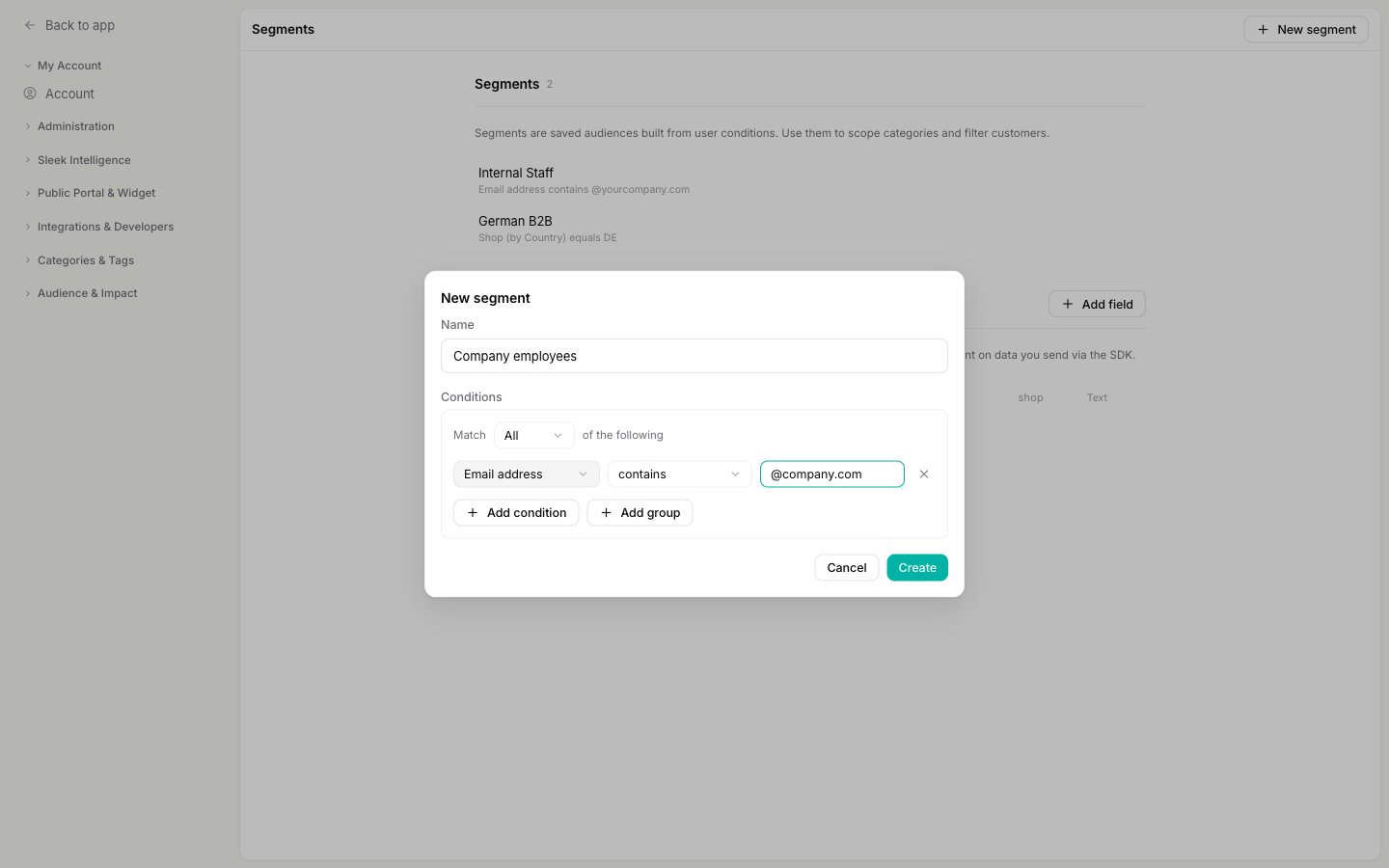
2
Open the category
Go to Settings → Categories and open the category you want to scope, or create a new one for this audience.
3
Pick the segment
In the Segment dropdown, choose the segment you just created. None means the category is open to everyone, which is the default.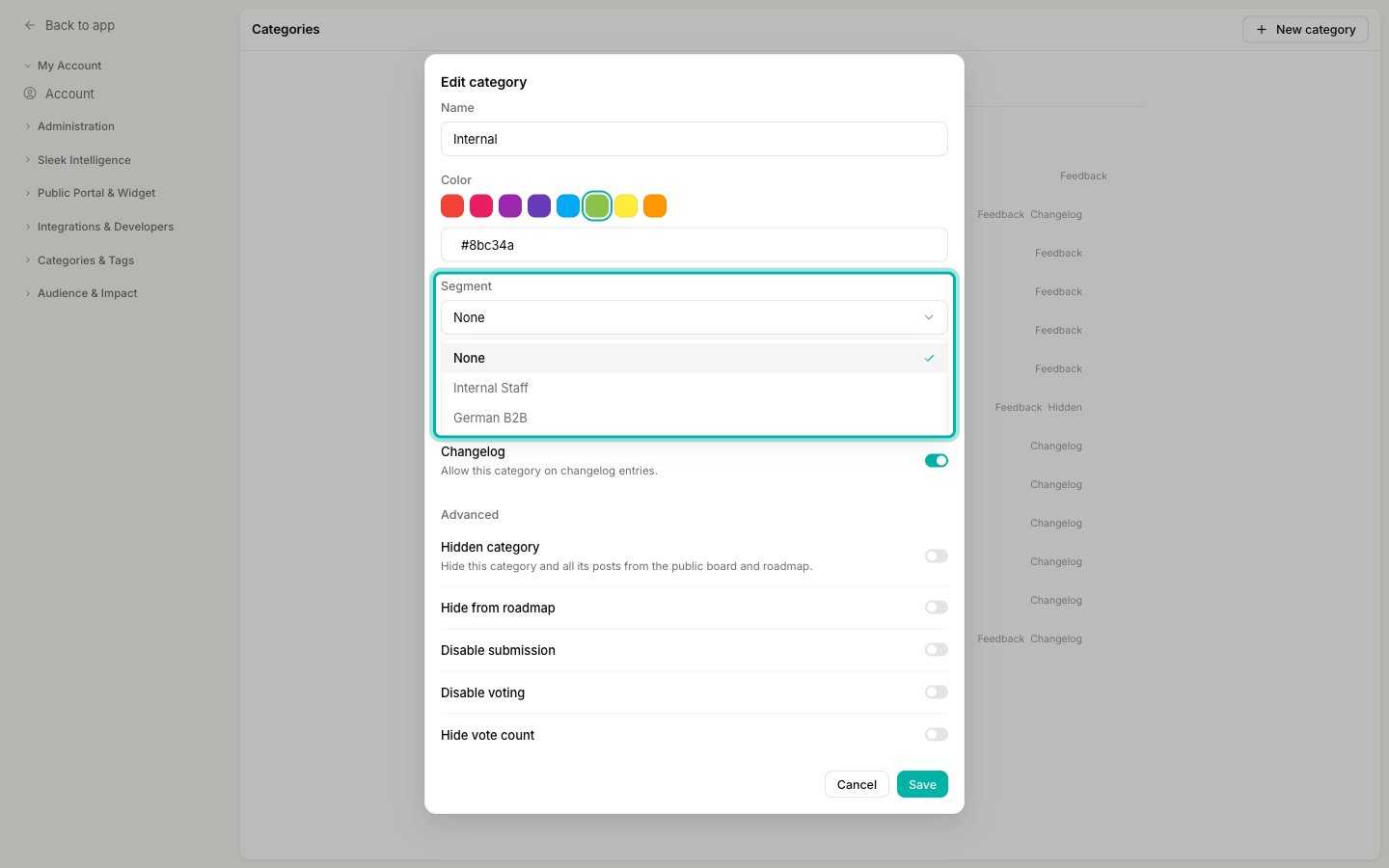
4
Save
Click Save. The scope applies immediately to every post in that category, both existing and new.
Who sees what
Membership is evaluated live, per customer, every time someone loads your board. Nobody is added to a segment by hand, so a person who starts matching gains access on their next visit, and someone who stops matching loses it.- Customers who match the segment see the category’s posts on your board and roadmap, exactly like any other post.
- Customers who do not match do not see the posts anywhere, and a direct link to one returns “Access to this post is restricted”.
- Anonymous visitors never match any segment. Someone who is not signed in cannot be evaluated against your conditions, so they always fall on the “no access” side. A segmented category is therefore invisible to logged-out visitors, whatever the conditions say.
- Your team always sees everything in the admin dashboard, regardless of segments.
Segment or hidden?
Both keep posts off the public board. Pick by who should still get through:
You can also combine a segmented category with the other Advanced toggles, for example Disable submission so the audience can read and vote but only your team files new posts.
Related
Set up user segments
Build the audience: conditions, groups, and your own custom fields.
Hide posts from your public board
Take a category off the board for everyone instead.
How end-user accounts work
How customers get identified, which is what segment matching depends on.
Add, remove, and reorder categories
Everything else the category form does.