
Voting on behalf of a user is a paid feature, available on the Starter plan and above, for team members with access to the workspace. Adding your own vote is always free.
Add a vote for a user
1
Open the post
From your Feedback board, click the post you want to add a vote to. It opens in the detail view.
2
Click Add vote
In the properties panel on the right, find the Engagement section and click the + button on the Upvotes row.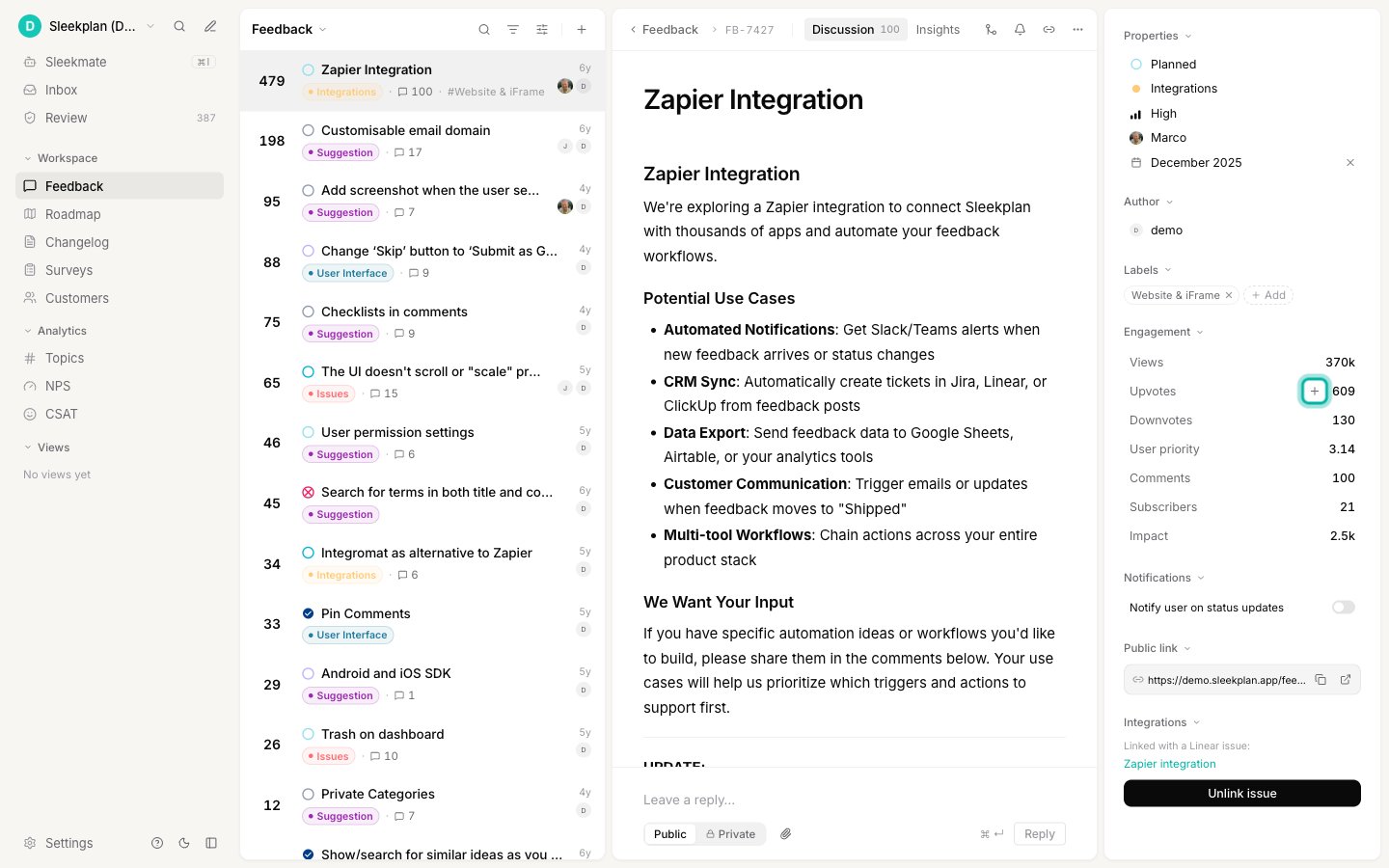
3
Choose who the vote is for
In the Add vote picker, pick who the vote should come from:
- An existing user: start typing a name and select them from the list. A checkmark next to a user means they have already voted on this post.
- A new user: type their email address and select Add vote for "". Sleekplan creates an end-user account for that email and records the vote, so you don’t need to invite or import them first.
-
Vote for me: adds your own vote, the same as clicking upvote yourself.

4
Confirm the vote
Select the user (or press Enter) to record the vote. The post’s upvote count goes up by one right away, and the vote is attributed to that user everywhere it appears.
See who has voted
To review who has voted on a post, open it and switch to the Insights tab. The Voters section lists the people who have upvoted, alongside voter segments, a happiness score, and the subscribers following the post.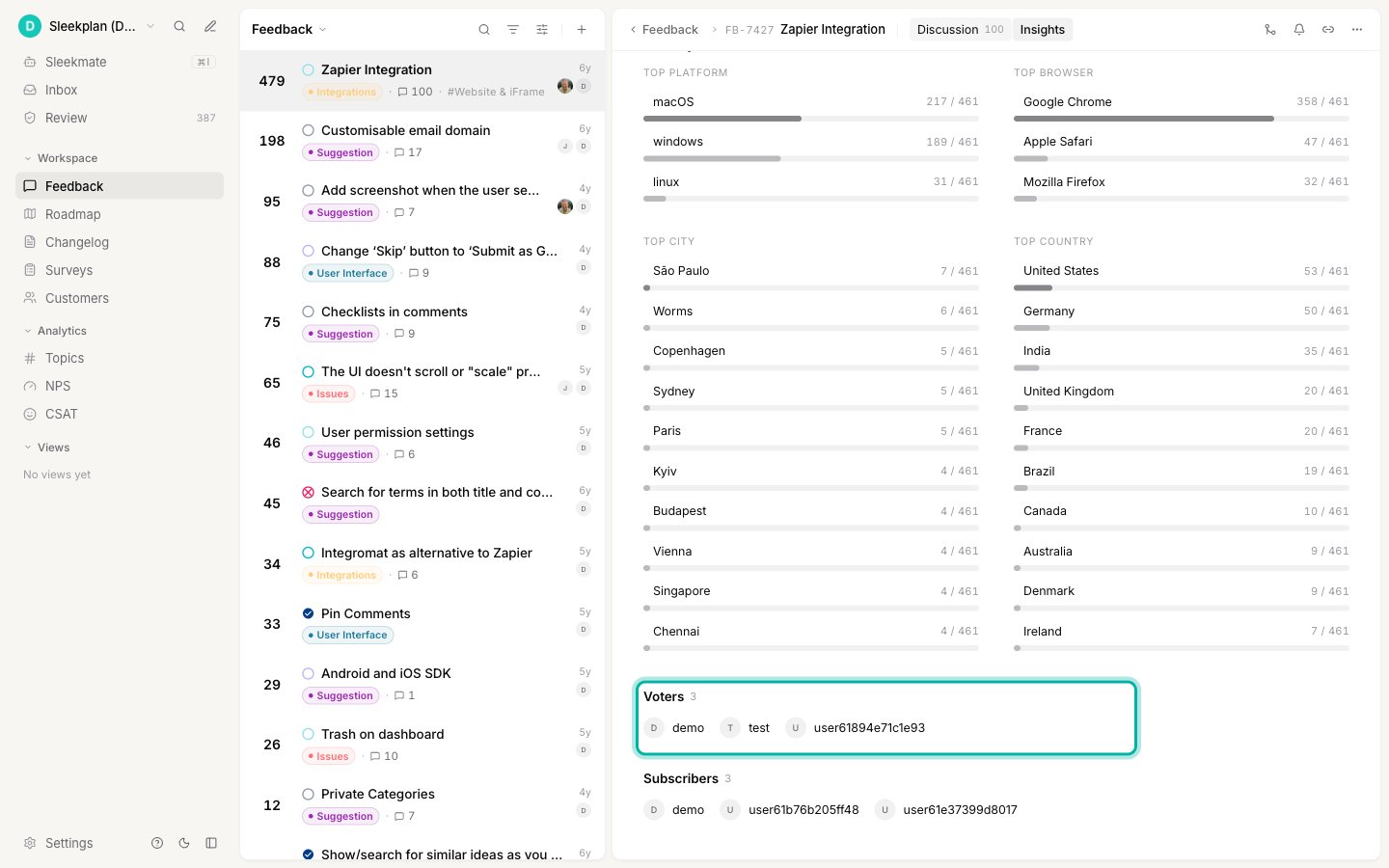
Remove a vote you added
There is no separate “remove voter” button. The Add vote picker is a toggle: reopen it, find the user with the checkmark, and select them again to take their vote back off. The upvote count updates to match.Only add votes for customers who genuinely asked for the request. On-behalf votes count exactly like a user’s own vote, so adding them speculatively skews which posts look most in demand.
Related
Create a post on behalf of a user
Log new feedback under a customer’s name when the request isn’t on your board yet.
How end-user accounts work
Understand the customer accounts you create when you act on someone’s behalf.
Filter, sort, and search feedback
Sort your board by votes to surface the most in-demand requests.
Organize your roadmap
Turn the most-voted requests into a roadmap your users can follow.