
Linking and unlinking requires the Starter plan or above, and an Owner or Admin role. Members can see linked documents but not change the links. See Team roles and permissions.
Link a post from the document
1
Open the document
Go to Documents and open the document. It has to be saved first, because a link needs something to attach to.
2
Click Link a post
In the right panel, under Linked posts, click Link a post.
3
Search for the post and pick it
Type part of the post’s title. Select a result to link it.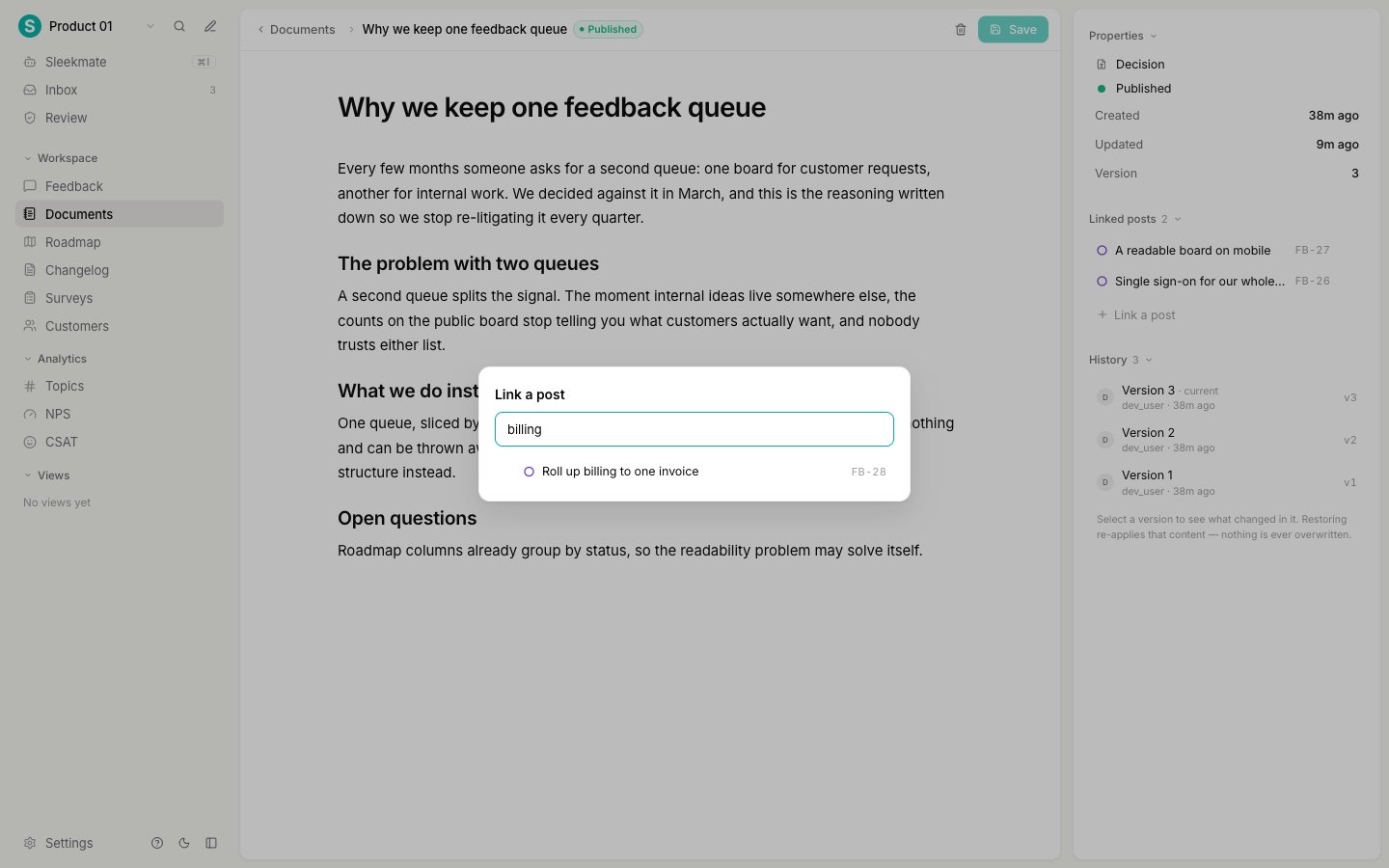
Link a document from the post
Every saved feedback post has a Documents block, between the metadata and the activity feed. It lists the documents that inform this request.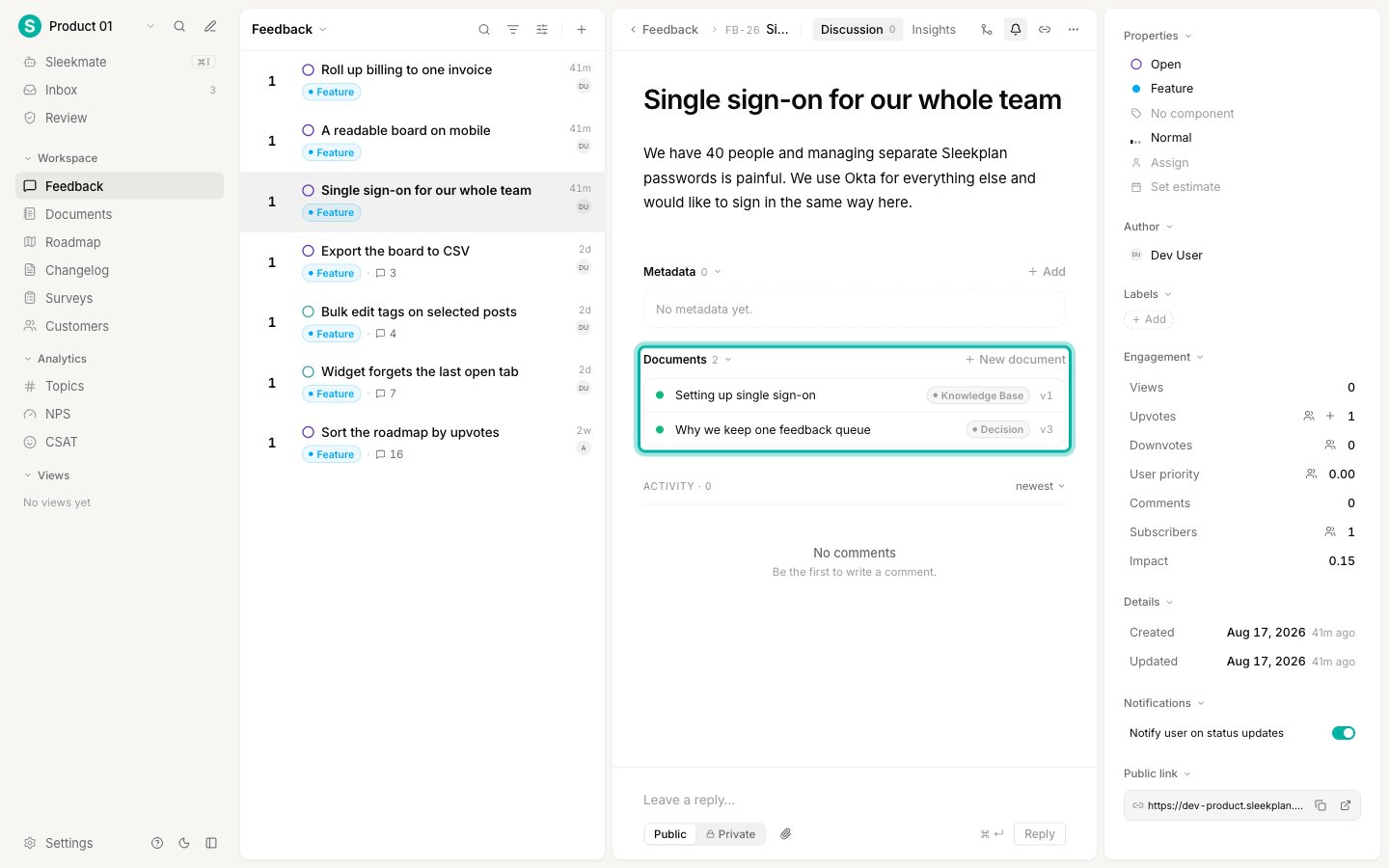
What a link means
A link records one thing: this document informs this request. That is deliberate. A link carries no status, no assignee, and no progress. Attaching a specification to a post does not mark the post as being worked on, and does not move it on your roadmap. To signal progress to your users, change the post’s status. To track who is building it, use an integration with your issue tracker.When to link
- Research to the request it came from. Customer call notes belong on the post that prompted them.
- A decision to every request it answers. If one decision settles four related requests, link it to all four. This is the cheapest way to stop the same discussion restarting on each post.
- A specification to the request it implements. So whoever picks the work up finds the detail without asking.
Next steps
Version history and restore
See what changed in any version and go back to it.
Write a document
Create a document, format it, and set its type and status.
Merge duplicate feedback
Combine duplicate posts so votes and comments add up in one place.
Documents
What documents are for and how the Documents screen is organized.