
Decide where the revenue lives
The mixed case is the one worth explaining. If you sell self-serve seats to individuals and annual contracts to companies, record MRR on your self-serve customers and on your company groups. When a post is voted on by both, Sleekplan adds the companies once each and the individuals on top, without counting anybody twice. See How the combined number is worked out.
Recording MRR on a customer works on every plan. Companies and teams require a Business plan or higher, so group revenue only counts towards the combined figure on those plans. See Plans and billing.
Record MRR on a customer
Use this for B2C, for self-serve customers, and for anyone who pays you directly.1
Open the customer
Go to Customers and select the person you want. You can sort the list by the MRR column to see who already has a figure.
2
Switch to edit mode
Select Edit in the top right of the profile.
3
Enter the MRR and save
In the Record panel on the right, type the monthly figure into MRR, then select Save.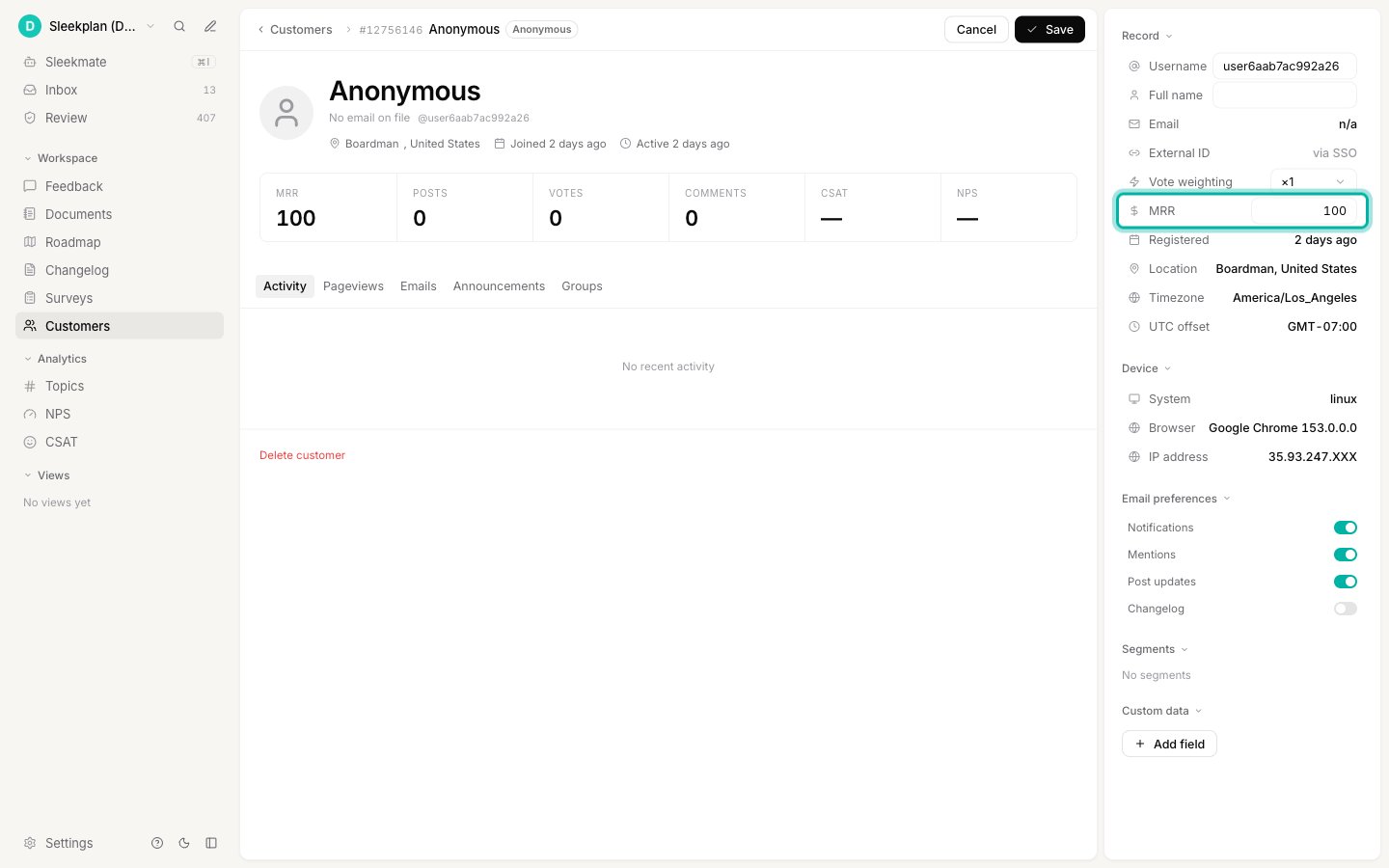
Record MRR on a company
Use this for B2B, where one contract covers everyone from that account.1
Open the group
Go to Groups and select the company or team. Groups arrive from your sign-in integration or the API rather than being created by hand, so if the list is empty, start with Companies and teams.
2
Switch to edit mode
Select Edit in the top right of the profile.
3
Enter the MRR and save
In the Details panel on the right, type the account’s monthly figure into MRR, then select Save.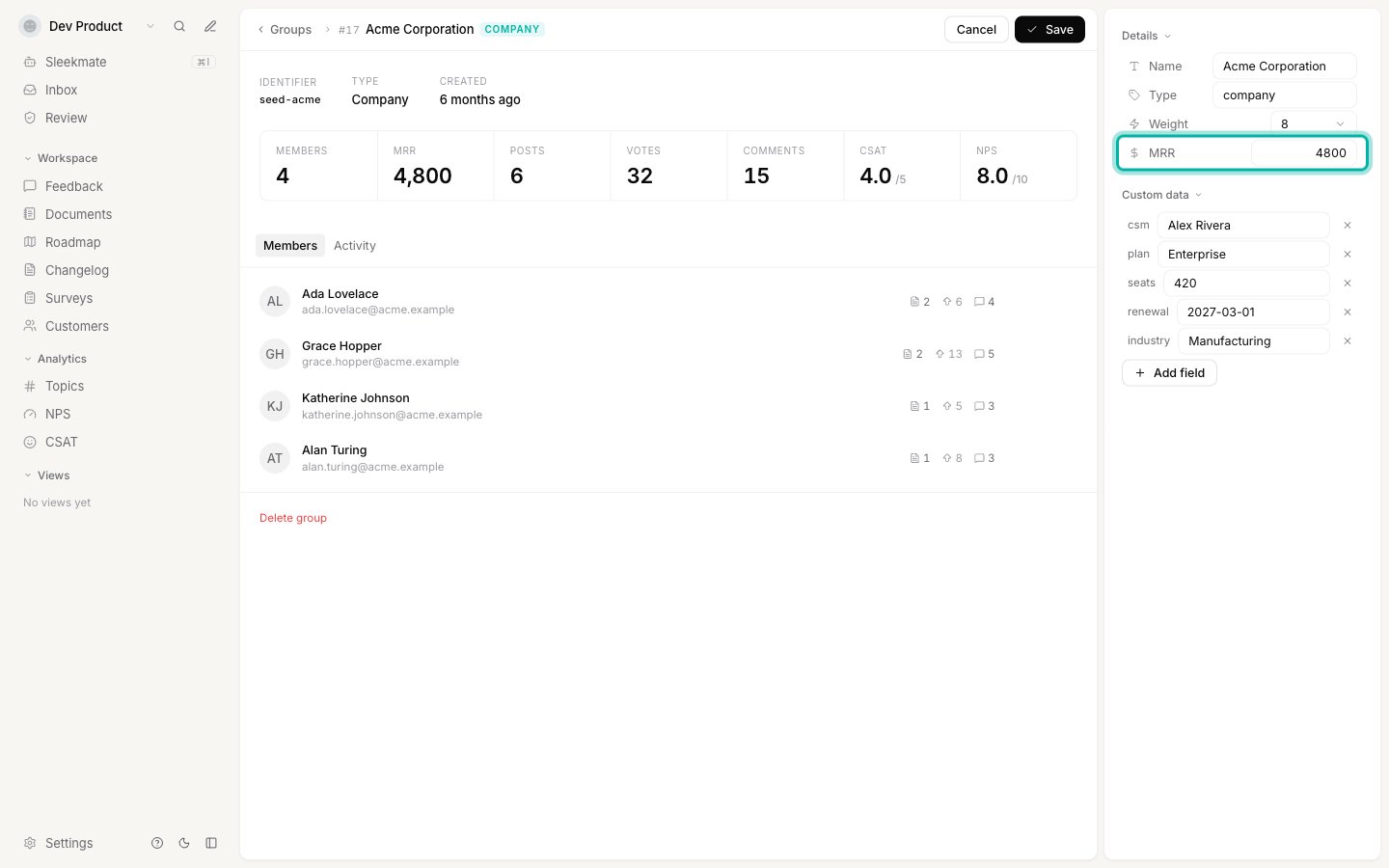
Keep it up to date automatically
Typing figures by hand is fine for a handful of key accounts, but revenue changes every month. Your developers can send MRR with the data your product already passes to Sleekplan, so it stays current without anyone touching the dashboard:- At sign-in, through the single sign-on token. An
mrrvalue on the user sets that customer’s revenue, and anmrrvalue inside thegroupsarray sets the company’s. Groups are created and updated from that claim automatically. - From your backend, through the Groups endpoints in the API, which is the better fit when your billing system is the source of truth and you want to push changes as they happen rather than waiting for the next sign-in.
Where the combined number shows up
Open any feedback post and expand Engagement in the sidebar. MRR is the combined revenue behind the post, and Groups is how many separate accounts are involved.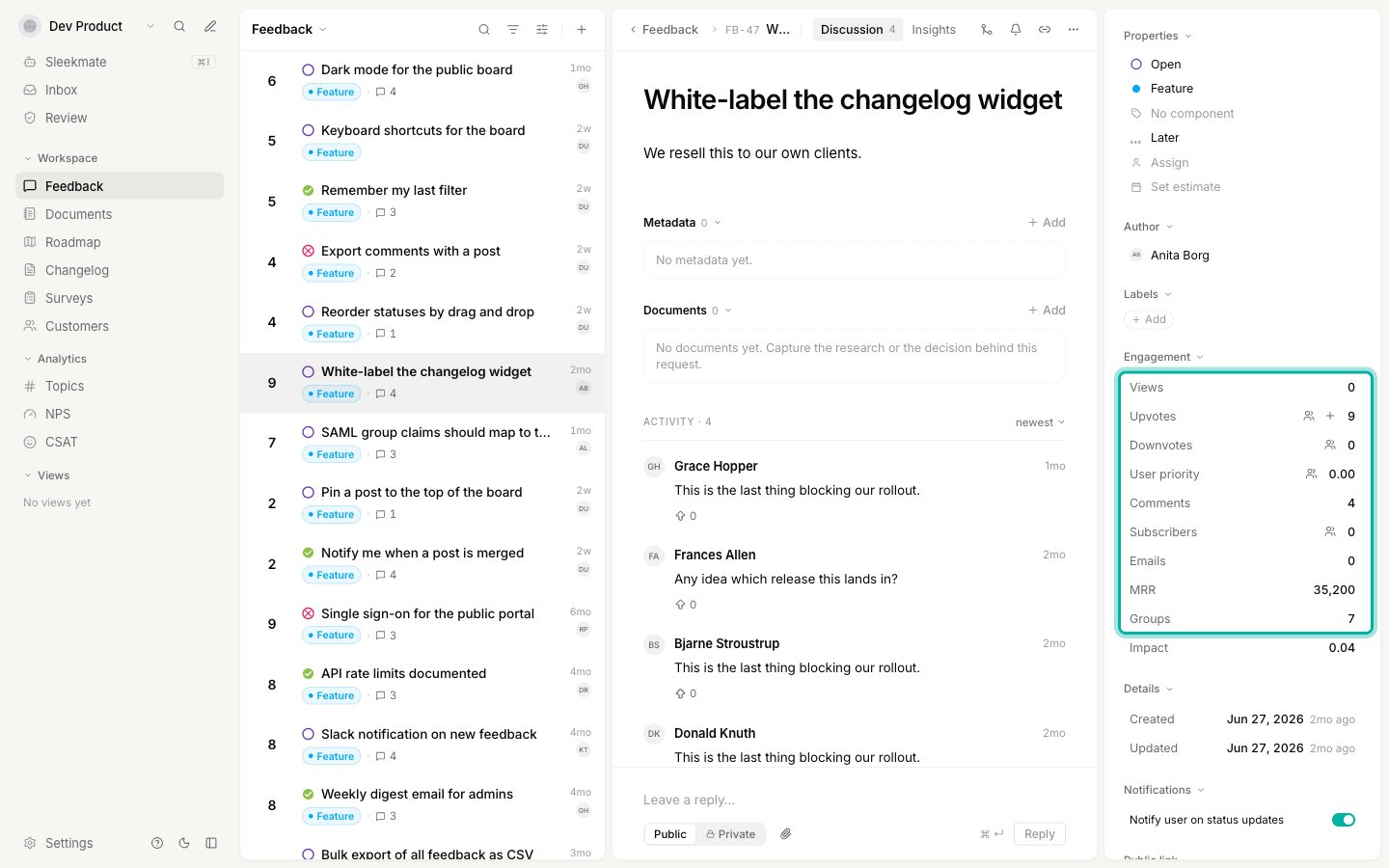
The Groups row only appears on plans that include companies and teams. Without it, MRR still works and simply adds up the voters’ own revenue.
How the combined number is worked out
Each upvoter is counted once, and their account is counted once:- If an upvoter belongs to a group that has MRR recorded, that group’s MRR is counted a single time, no matter how many of its members voted.
- If an upvoter belongs to no group with MRR recorded, their own MRR is added instead.
- Acme is counted once: 4,800
- The self-serve customer is counted once: 200
- Total on the post: 5,000
Good to know
Which currency does it use?
Which currency does it use?
None. MRR is stored as a plain number with no currency symbol attached, so it is up to you to pick one currency and use it consistently across every customer and company. Only whole numbers are kept: decimals are dropped, and a negative value is treated as zero.
Do downvotes and comments count?
Do downvotes and comments count?
No. Only upvoters count towards the figure on a post. Someone who commented, subscribed, or downvoted does not add their revenue.
A customer is in a company with no MRR. What happens?
A customer is in a company with no MRR. What happens?
Their own MRR is used. The group only takes over once it has a figure of its own, so a company you have not priced yet never hides its members’ revenue.
The post shows no MRR at all
The post shows no MRR at all
Can my users see their MRR?
Can my users see their MRR?
No. Revenue is admin-only. It is never returned to the widget or the public portal, so nobody on your board can see what you recorded against them or their company.
Is MRR the same as weight?
Is MRR the same as weight?
No, and they do different jobs. Weight is how important an account is to you on a 0 to 10 scale, and it feeds the Impact Score that ranks your whole board. MRR is a real revenue figure that is reported rather than scored. Many teams set both: weight to sort the board, MRR to answer “what is this worth”.
Related
Post insights
The full breakdown of who is behind a request and what it is worth.
Companies and teams
How groups are created, how to read the list, and how to manage members.
Impact Score
Rank your whole board by real impact, and tune the weights behind the score.
Customer identity
Sign your customers in so their revenue and account data reach Sleekplan.