
Sleek Intelligence is available on the Starter plan and above. The free Indie plan does not include AI. Topic analytics need the Business plan or higher. Every AI action draws from your workspace’s Intelligence credits.
What it does
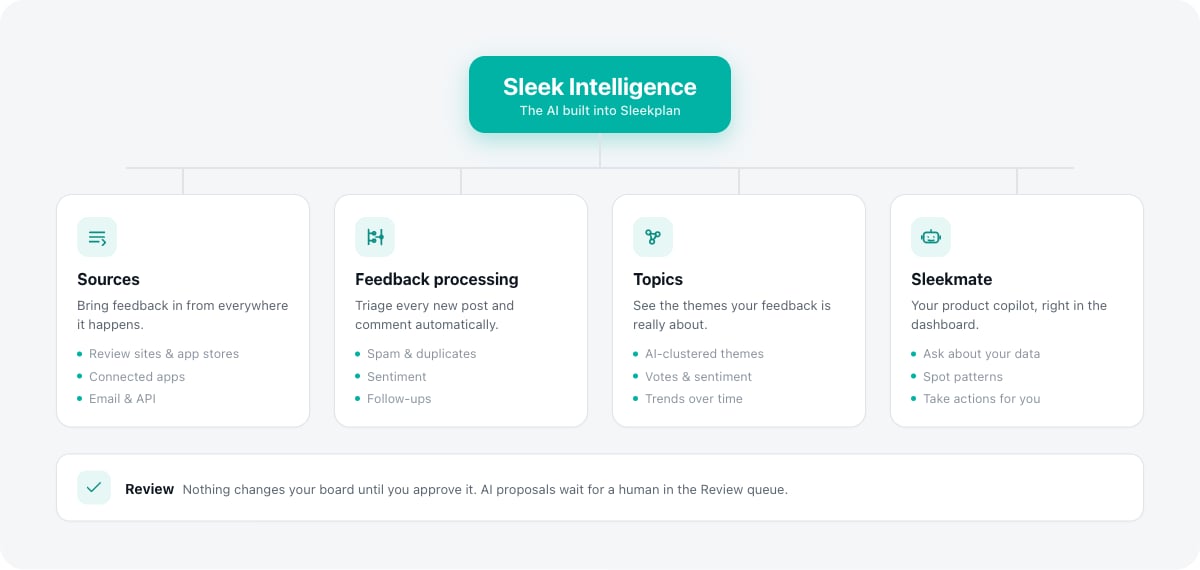
Sleek Intelligence has four parts, plus a review queue that keeps you in control of everything the AI proposes.Sources
Import feedback automatically from review sites, connected apps, email and an API endpoint.
Feedback processing
Automatically triage new posts and comments: spam, duplicates, sentiment, confidential data and follow-ups.
Topics
Group related feedback into AI-clustered themes and see how each one trends by volume, votes and sentiment.
Sleekmate
A chat assistant that reads your workspace and can answer questions, spot patterns and take actions for you.
Turn on Sleek Intelligence
Only workspace owners and admins can change Sleek Intelligence settings.
1
Open the settings
2
Enable it
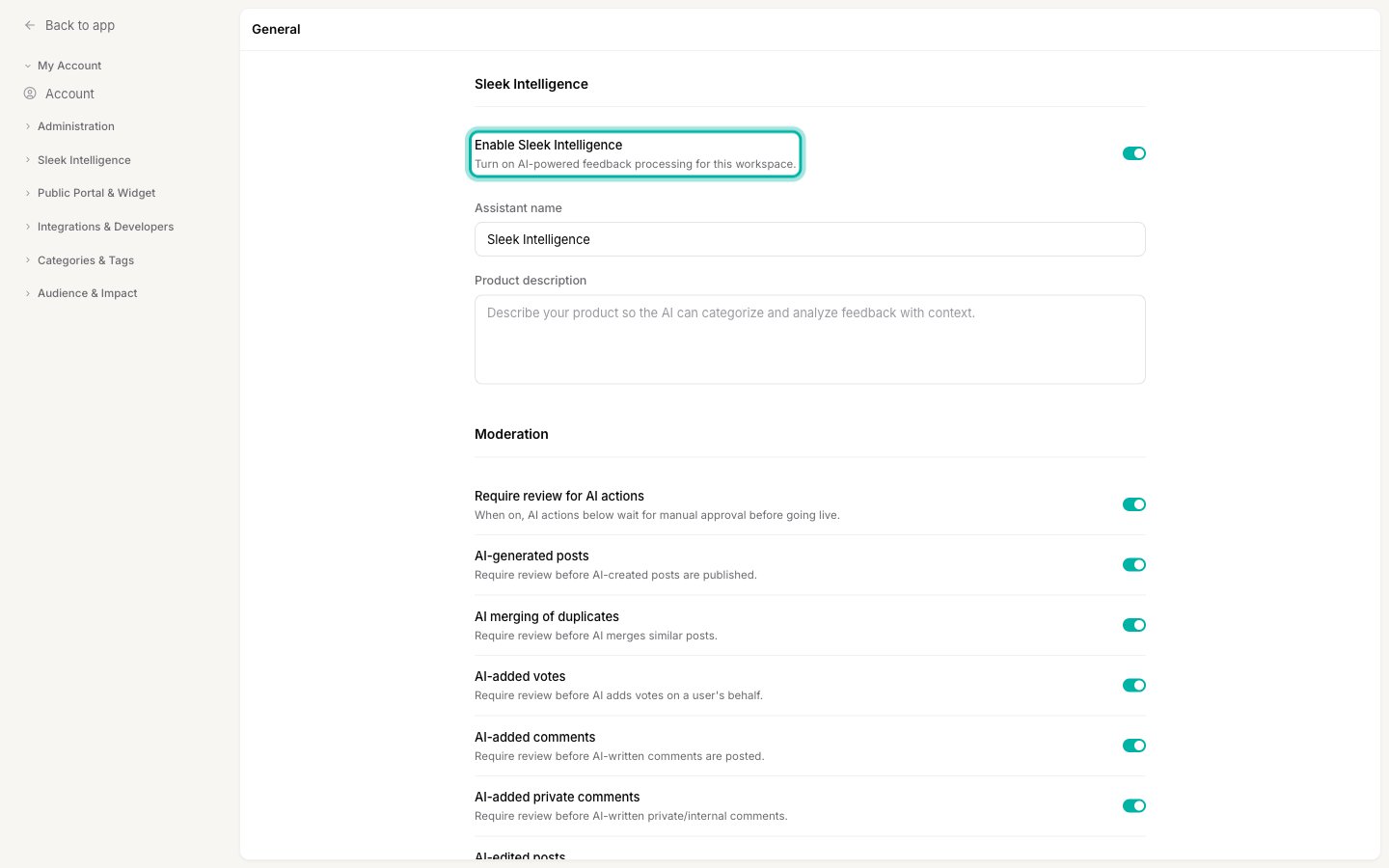
Switch on Enable Sleek Intelligence. The first time you do this, Sleekplan sets up the AI behind the scenes and shows a short “Setting up Sleek Intelligence” message. This can take a few minutes while it reads your existing feedback. You can leave the page and come back.
3
Describe your product
Fill in the product description. This is the context the AI uses to understand your feedback, so a clear sentence or two about what you make and who uses it makes every AI feature sharper. You can also rename the assistant here, which sets what Sleekmate calls itself.
4
Choose what runs automatically
Open Feedback Processing and Sources to switch on the automations and imports you want. Nothing runs until you turn it on.
Stay in control
Sleek Intelligence never changes your board silently unless you let it. In General settings you can turn on Require review for AI actions, and every action the AI proposes waits for a human to approve or reject it in the Review queue. Sleekmate has the same safeguard: it asks before it writes anything, unless you switch that off per session.What it costs
Sleek Intelligence runs on Intelligence credits. Each workspace gets a monthly quota with its plan, and each AI action draws that balance down. Automated features cost a fixed amount per run; Sleekmate costs a variable amount based on how much work each request takes. See Sleek Intelligence credits for the full breakdown and how to top up.Related
Sleek Intelligence credits
How credits work, what each action costs, and how to get more.
Organize feedback
Statuses, categories and tags that the AI works alongside.
Billing and your subscription
Plans, upgrades, and where AI is included.
Core concept
How Sleek Intelligence fits into the rest of Sleekplan.