
Topics is part of Sleek Intelligence. Topic analytics need the Business plan or higher. (Sleek Intelligence itself unlocks earlier, on Starter.)
What a topic is
A topic is a cluster of related feedback that Sleek Intelligence has grouped together, for example “Billing” or “Mobile app”. Each topic has a name, a short description, and a set of typical requests that represent it. Topics can break down further into sub-topics, a more detailed split of the feedback inside a topic. You do not create topics by hand. As feedback comes in, Sleek Intelligence reads it and sorts related posts into topics and sub-topics for you, and keeps them up to date as more arrives.Topics build up over time. If the view is empty, it means Sleek Intelligence has not classified enough feedback yet. Give it more feedback, or a little time, and themes will appear.
Explore your topics
1
Open Topics
In the left sidebar, under Analytics, click Topics.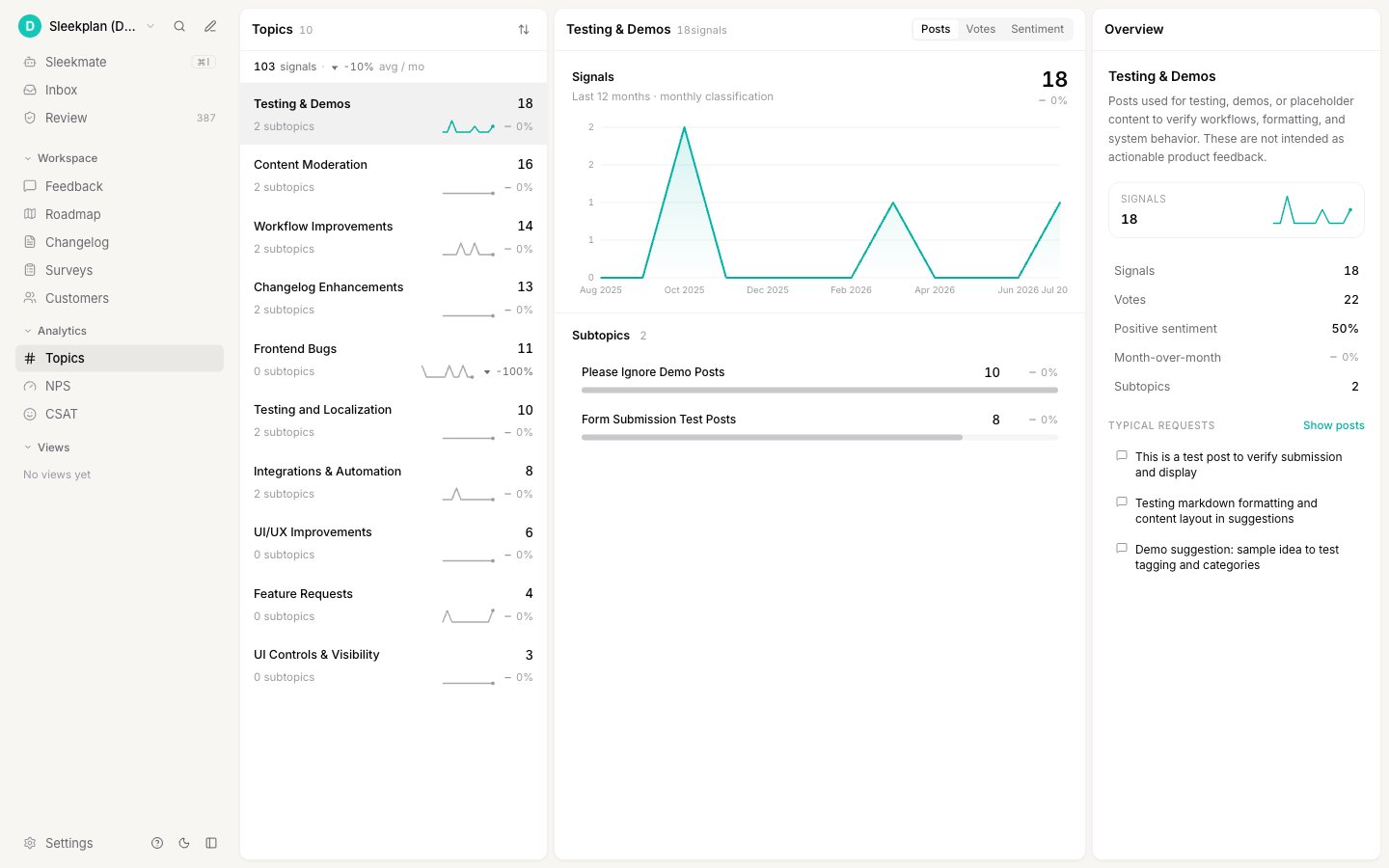
2
Pick a topic
The list shows your topics ranked by how much feedback each holds, with a small trend line and a month-over-month change so you can spot what is rising or fading. Select one to dig in.
3
Read the breakdown
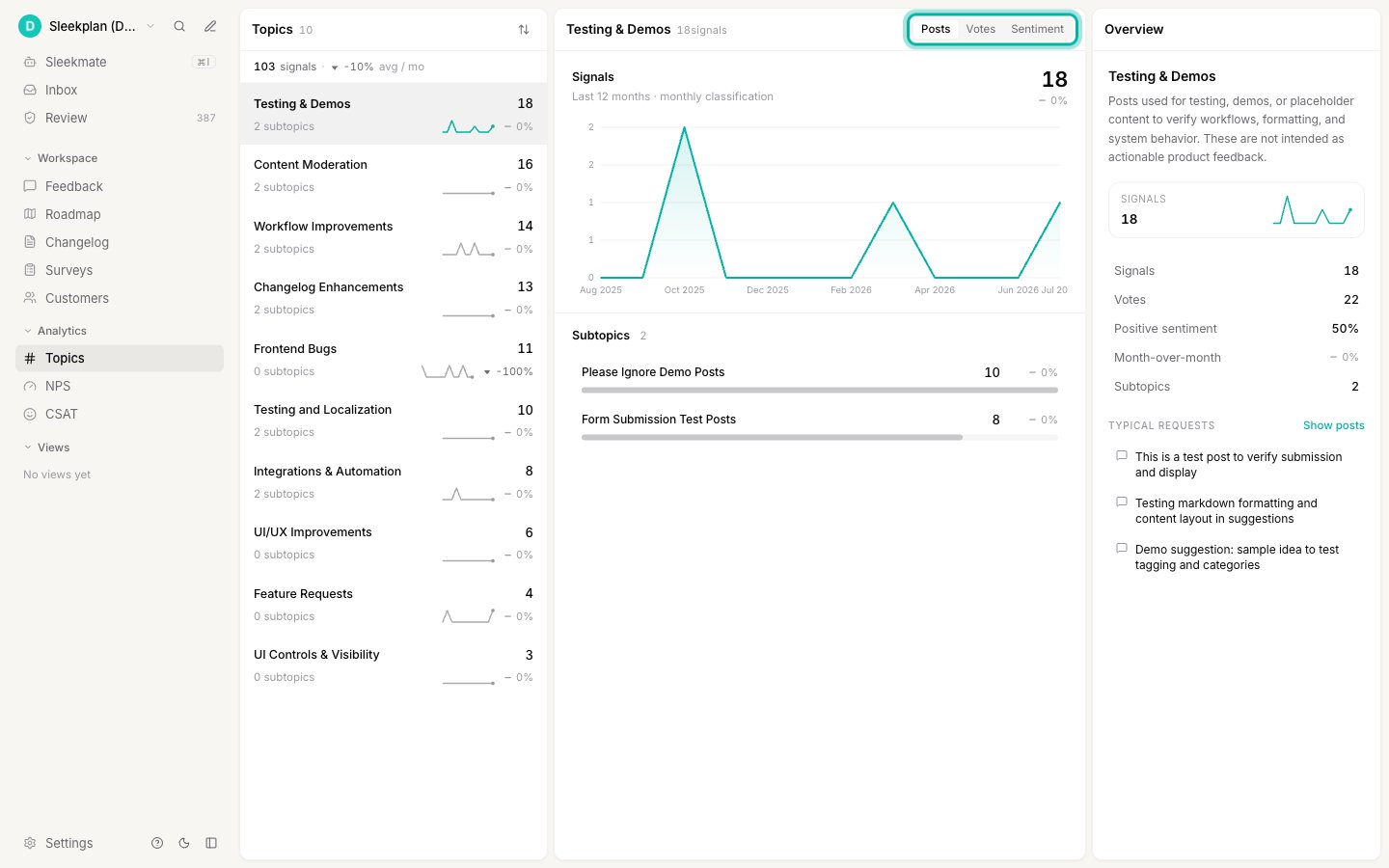
The detail view shows the topic’s trend over time and its sub-topics. Switch the breakdown between three measures to see the theme from different angles:
- Posts — how much feedback the topic and its sub-topics hold.
- Votes — how much demand sits behind it.
-
Sentiment — whether users feel positive or negative about it.
Using topics in your work
- Prioritize by real demand. A topic that is climbing in votes and negative in sentiment is a strong signal for what to fix next.
- Brief your team. Topics turn a noisy board into a short list of themes you can talk about in a planning meeting.
- Ask Sleekmate about them. Sleekmate can read your topics too, so you can ask it things like “what’s my fastest-growing topic this month?” in plain language.
Related
Sleekmate
Ask the assistant about your topics in plain language.
Feedback processing
Sentiment analysis feeds the sentiment you see per topic.
Filter feedback
Narrow the board down to the posts behind a theme.
Segments
Group your users to read demand by audience.