
Sources is part of Sleek Intelligence, so Sleek Intelligence must be enabled first (Starter plan and above). Importing feedback uses Intelligence credits.
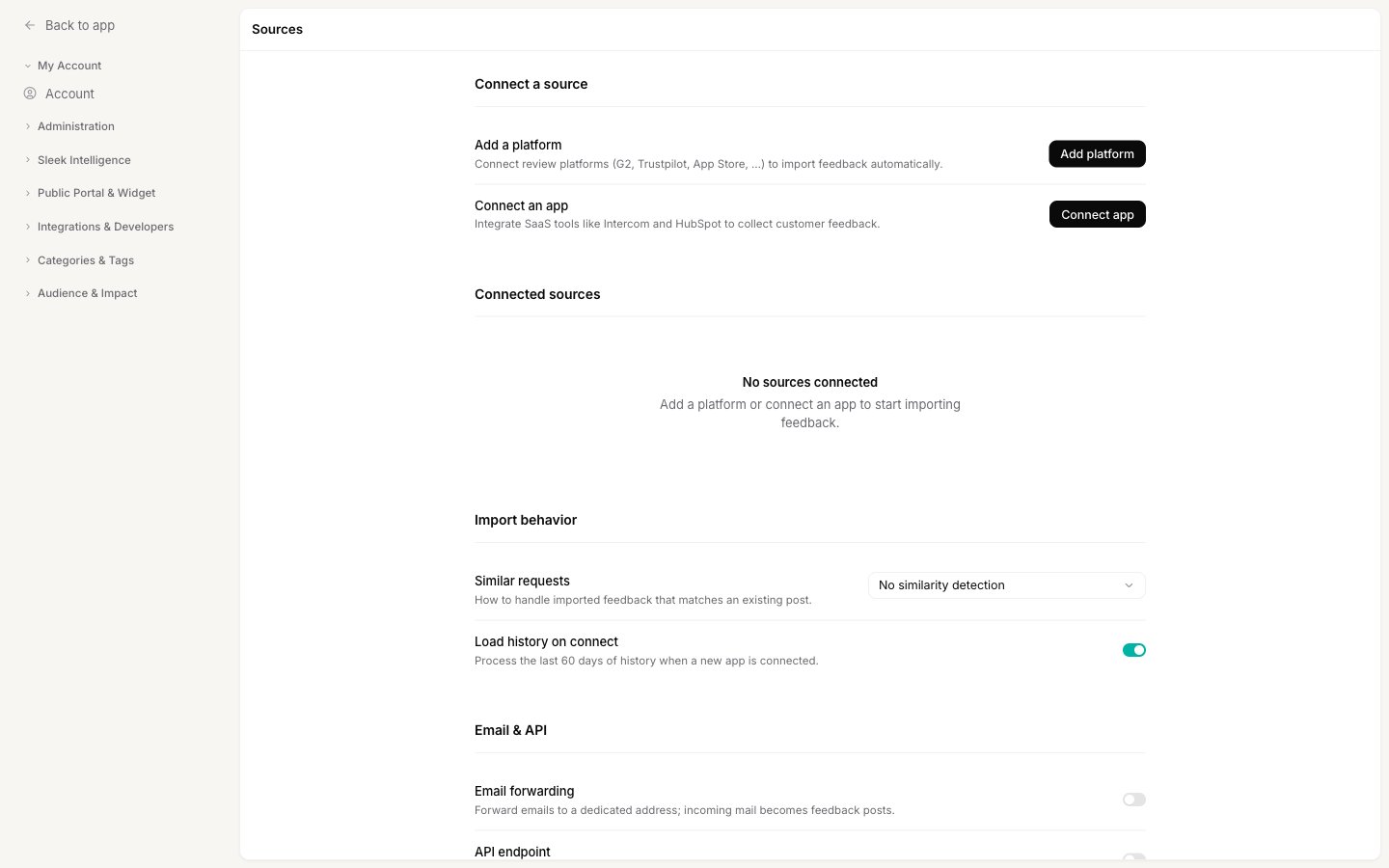
Ways to bring feedback in
Add a platform
Connect review platforms like G2, Trustpilot or the App Store to import their reviews as feedback automatically. Click Add platform, pick the platform, and fill in what it asks for (usually the address of your listing).Connect an app
Integrate a SaaS tool like Intercom or HubSpot to collect feedback from your support conversations. Click Connect app and follow the secure sign-in flow to link your account. By default, connecting an app processes the last 60 days of history so you start with context, controlled by the Load history on connect setting.Email and API
Two more ways to get feedback in from anything else:- Email forwarding gives your workspace a dedicated email address. Forward messages to it and each one becomes a feedback post. Turn it on and save to reveal the address.
- API endpoint lets external platforms submit feedback directly to Sleekplan. Turn it on and save to reveal the endpoint URL.
Sources is the automatic, ongoing way to bring feedback in. To do a one-off import from a spreadsheet or another feedback tool, see Import feedback.
Handle duplicates on import
Imported feedback often overlaps with requests you already have. The Similar requests setting under Import behavior decides what happens when a new import looks like an existing post:
Adding votes this way keeps your demand signal accurate without cluttering the board with duplicates.
Reviewing imported feedback
Posts the AI creates from a source can wait for your approval before they appear, if you want them to. Turn on the gate for AI-generated posts in Sleek Intelligence settings and imported posts land in the Review queue first.Related
Import feedback
One-off imports from a CSV or another feedback tool.
Reviewing AI actions
Approve imported posts before they go live.
Integrations
Connect the rest of your stack to Sleekplan.
Sleek Intelligence credits
What importing costs and how to top up.