
Book additional languages
The Additional languages add-on is booked per language: book two to offer your board in two languages besides your default one. You can book up to 23.The add-on is available on the Starter and Business plans, and booking it requires the Owner or Admin role. On Enterprise, your account manager handles add-ons. If your plan doesn’t offer it, the Languages page tells you so, and you can change your plan on the Billing page.
1
Open the add-ons
Go to Settings → Administration → Billing and click Add-ons in the Plan section. From the Languages page, Book a language or Book more languages takes you there too.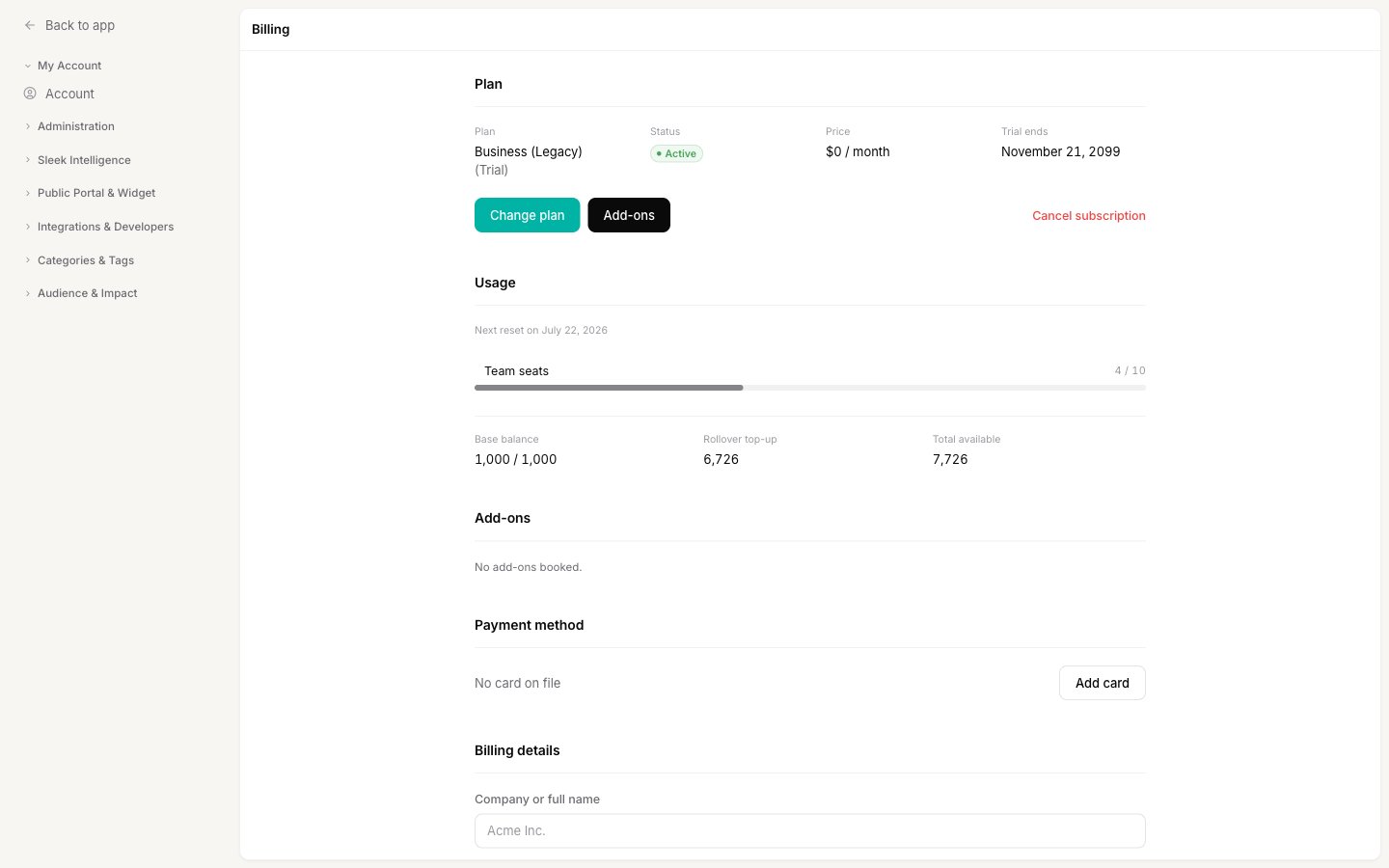
2
Choose the number of languages
Next to Additional languages, pick how many languages you want to offer besides your default one.
3
Book
Click Book add-ons, then add the languages on the Languages page. See Set up your languages.
During your trial
A trial includes two additional languages, with 2,000,000 translated characters a month. Add-ons can’t be booked during a trial. When the trial ends, its languages become inactive until you book them, and nothing is deleted: book the add-on and they’re back with their translations.How translated characters work
Each language your plan covers adds 1,000,000 translated characters a month. They form one allowance for all your languages: with two additional languages you get 2,000,000 characters a month, and any of the languages can use them. The allowance resets on the 1st of each month (UTC). Characters you don’t use don’t carry over.What counts
Every automatic translation counts, in any language:- new and edited posts, public comments and changelog entries;
- your existing content, when it’s translated after you add a language;
- a Translate now click on a post or changelog entry;
- the suggestions of Fill with AI for your texts.
What doesn’t count
- versions your team writes by hand;
- text that’s already in the target language;
- translations that fail.
See how many characters you’ve used
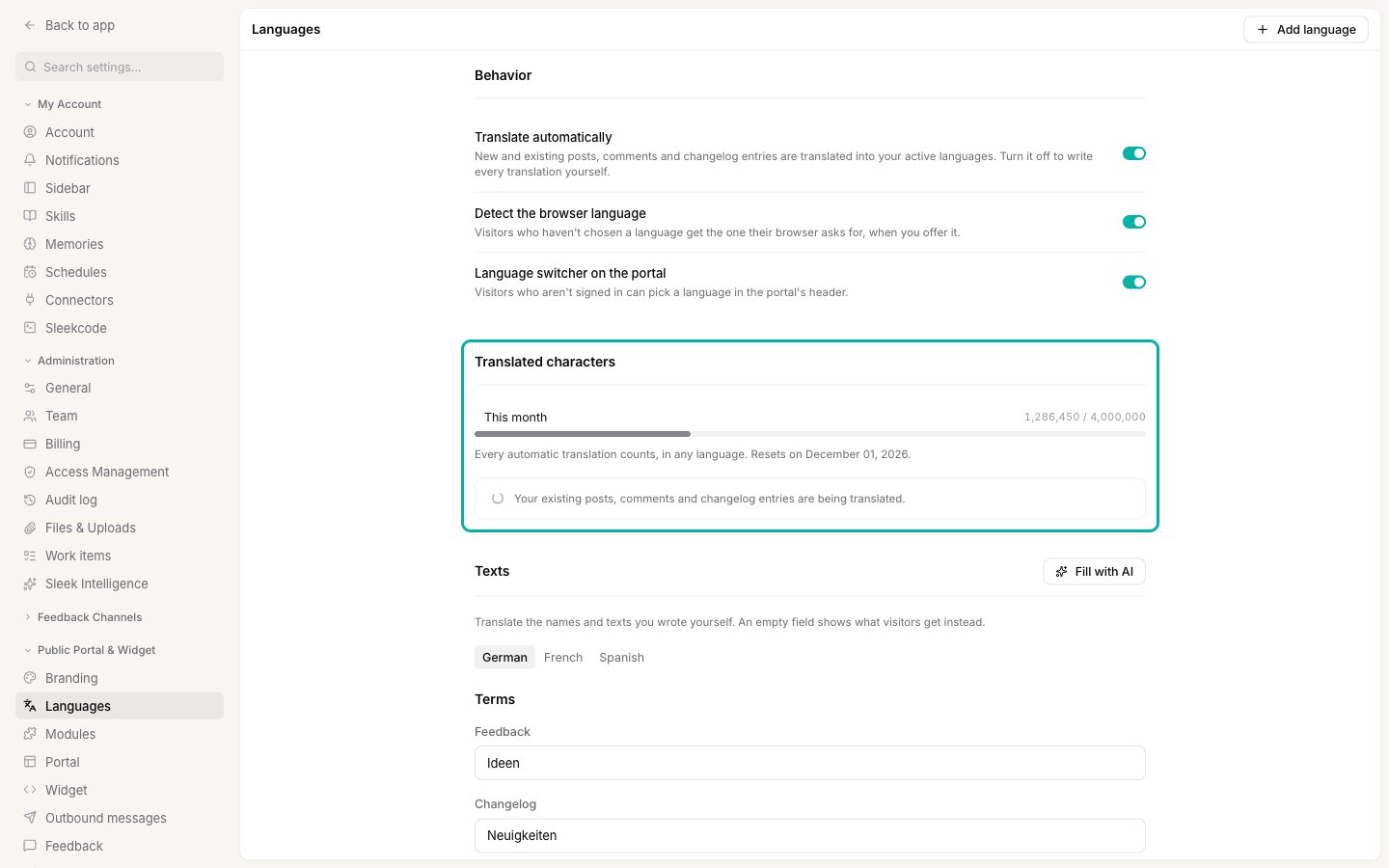
Two places show this month’s usage, your allowance and the date it resets:- the Translated characters section of Settings → Public Portal & Widget → Languages, which also shows whether your existing content is still being translated;
- the Usage section of Settings → Administration → Billing.
When the characters run low
- With less than a fifth of the month’s characters left, translating your existing content pauses, so the rest is kept for new posts, comments and changelog entries. It continues after the reset.
- When the characters are used up, new and edited content shows in its original language until the 1st. Then it’s translated automatically, without you doing anything. Versions your team writes by hand keep working all the time.
Related
Add-ons
Book add-ons and see how they’re charged.
Automatic translation
What gets translated, when, and how to turn it off.