
Languages are set up by workspace Owners and Admins. Your default language is part of every plan. Each additional language is an add-on, and a trial includes two additional languages.
What your visitors get
- Your content in their language. Posts, public comments and changelog entries appear in every language you offer. Sleekplan translates them automatically, and you can write any translation of a post or changelog entry yourself.
- The widget and portal in their language. Buttons, menus, forms and dates switch to the visitor’s language. Arabic is shown right to left.
- Your own wording, translated. Your terms, the widget and portal texts, the launcher label, and the names of your categories, statuses and components get a translation per language.
- Their own language, automatically. It comes from your product (single sign-on or the JavaScript SDK), from their own choice, or from their browser.
- Emails in their language. Notification emails go out in each user’s language.
- An address per language. Your portal serves
/de/feedbacknext to/feedback, so search engines can list every language.
Get started
1
Add your languages
Go to Settings → Public Portal & Widget → Languages, check your Default language and add the languages you want to offer. See Set up your languages.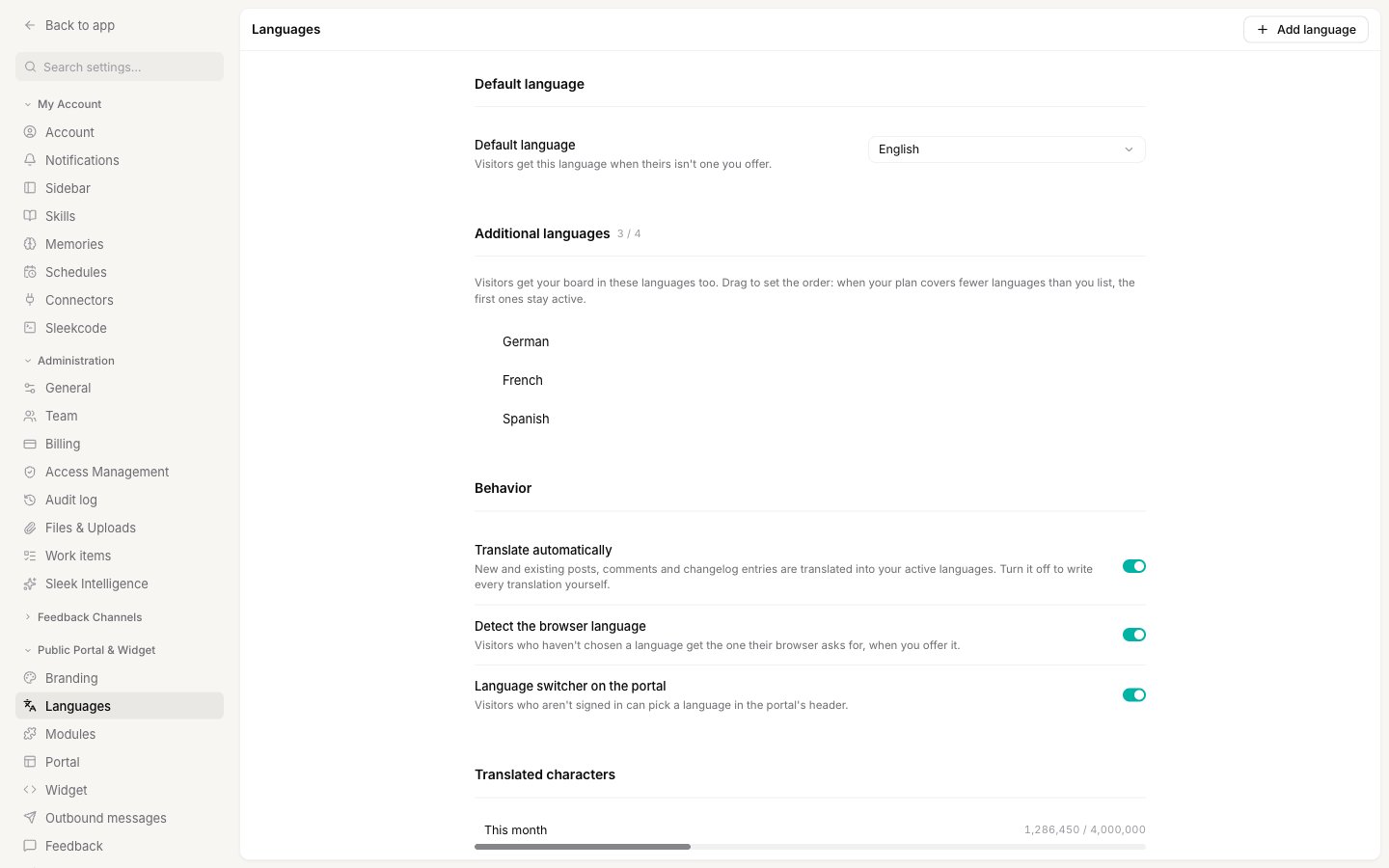
2
Let the translation run
With Translate automatically on, your existing posts, comments and changelog entries are translated in the background, and new content about a minute after it’s saved. See Automatic translation.
3
Translate your own texts
In the Texts section of the same page, translate your terms, texts and names, or let Fill with AI do it. See Translate your names and texts.
4
Pass each user's language
If your users sign in through single sign-on, send their language with the token: the developer docs show how. Everyone else gets their browser’s language or picks one. See How visitors get their language.
What stays in the original language
The translations are for your visitors. Everything your team works with keeps the original text:- the admin dashboard, Sleekmate and the MCP server;
- webhooks, integrations and the REST API;
- emails to your team.
Languages work with the V2 widget and portal. On the old widget and portal, visitors see your board in your default language.
Learn more
Set up your languages
Choose the default language, add and order languages, and set how they behave.
Automatic translation
What gets translated, when, and how to turn it off.
Edit a translation
Check, write and correct the language versions of a post or changelog entry.
Translate your names and texts
Translate your terms, widget and portal texts, and the names of categories, statuses and components.
How visitors get their language
The language switcher, account settings, portal addresses, emails and targeting.
Languages add-on and translated characters
What’s included, how to book more languages, and how translated characters are counted.