
This setting lives on the Domain page and only workspace owners and admins can change it. The switch appears once your portal address is secured with SSL. That happens automatically for your free
.sleekplan.app address, and shortly after DNS verification for a custom domain.Turn indexing on or off
1
Open the Domain settings
Go to Settings → Public Portal & Widget → Domain. The Allow search engine indexing switch sits at the top, in the Your portal section.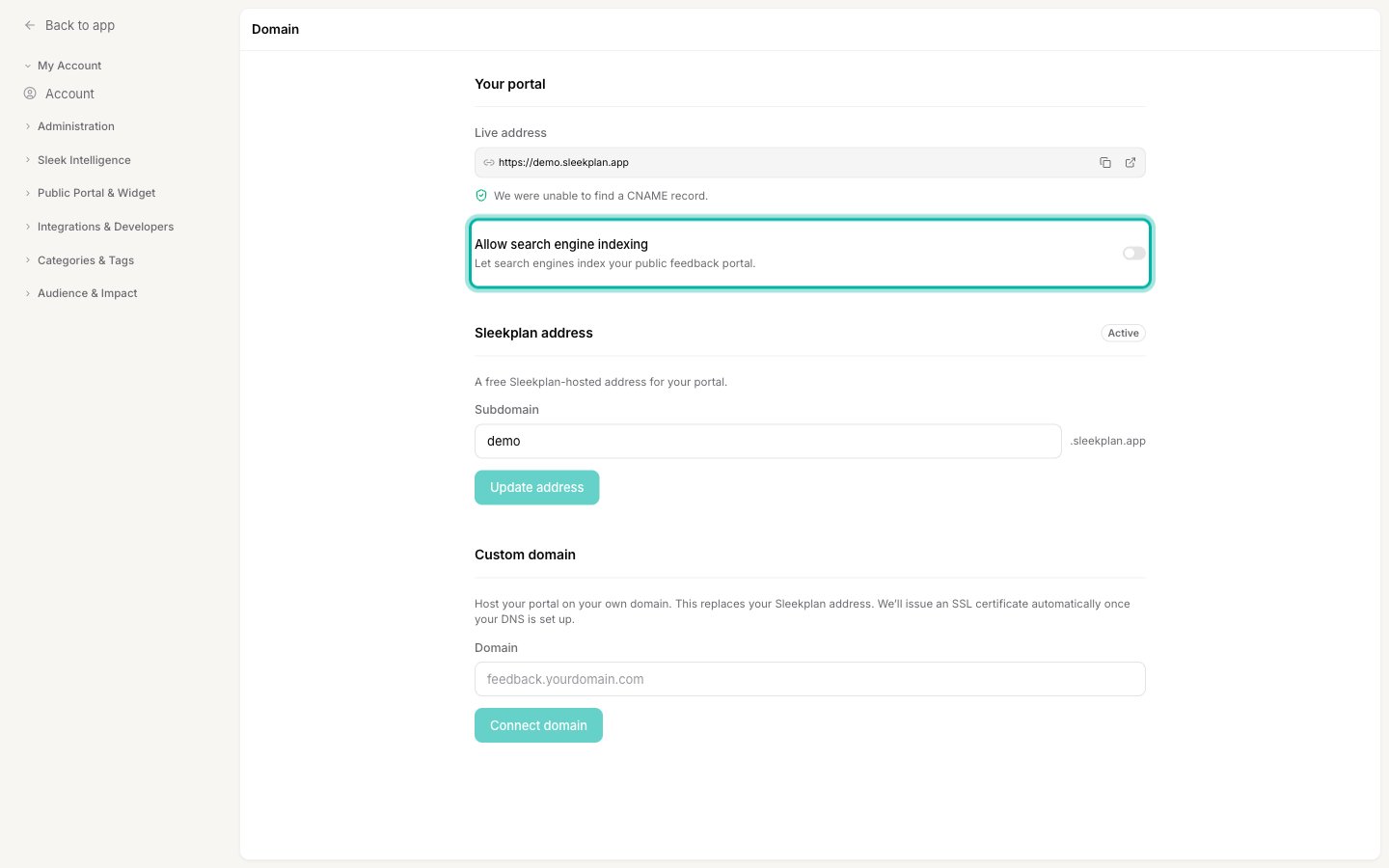
2
Flip the switch
Turn the switch on to let search engines index your portal, or off to keep it out of search results. The change saves on its own the moment you flip it, so there is no separate Save button, and a short Saved confirmation appears.
What the setting changes
The switch changes how your portal presents itself to search engine crawlers across every public surface (feedback, roadmap, and changelog):- On: pages tell crawlers
index, follow, your portal allows crawling, and each feedback post and changelog entry is listed in your portal’ssitemap.xmlso search engines can find them. - Off: every public page tells crawlers
noindex, nofollow, your portal disallows crawling in itsrobots.txt, and your sitemap drops to essentially empty.
Turning indexing off is not instant on Google’s side. Search engines re-crawl on their own schedule, so a portal that was already indexed can take days or weeks to disappear from results after you turn the switch off. The
noindex signal simply tells them to drop it the next time they visit.Why your portal might not appear in search anyway
Indexing being on is necessary, but a few other settings can independently keep a page out of search, no matter what this switch says:- A private or protected board. If your board is set to private, or gated behind a password, allowed email domains, or single sign-on in Access & Privacy, its content is never indexed. Search engines only list pages anyone can open, so a gated board stays out of search on its own.
- Filtered views. A board opened with filters in the URL (a specific type, tag, or search term) is left out of search on purpose, so search engines index your main board rather than dozens of near-duplicate filtered versions. The individual posts are still reachable and indexable through the unfiltered board.
- Hidden or segment-restricted content. Posts under a hidden feedback type, or one limited to a specific user segment, are not added to the sitemap.
Related
Connect a custom domain
Host your portal on your own domain, which also sets the address search engines index.
Access & privacy
Control who can reach your board. Private and protected boards are never indexed.