
Sending health appears only for customers who have a real email address. Anonymous users who voted or commented without giving one have nothing to check.
Check one customer
1
Open the customer
Go to Customers and select the person who reported the problem. Their details open in the panel on the right.
2
Read the Sending health panel
Scroll the right panel to Sending health, just below Email preferences.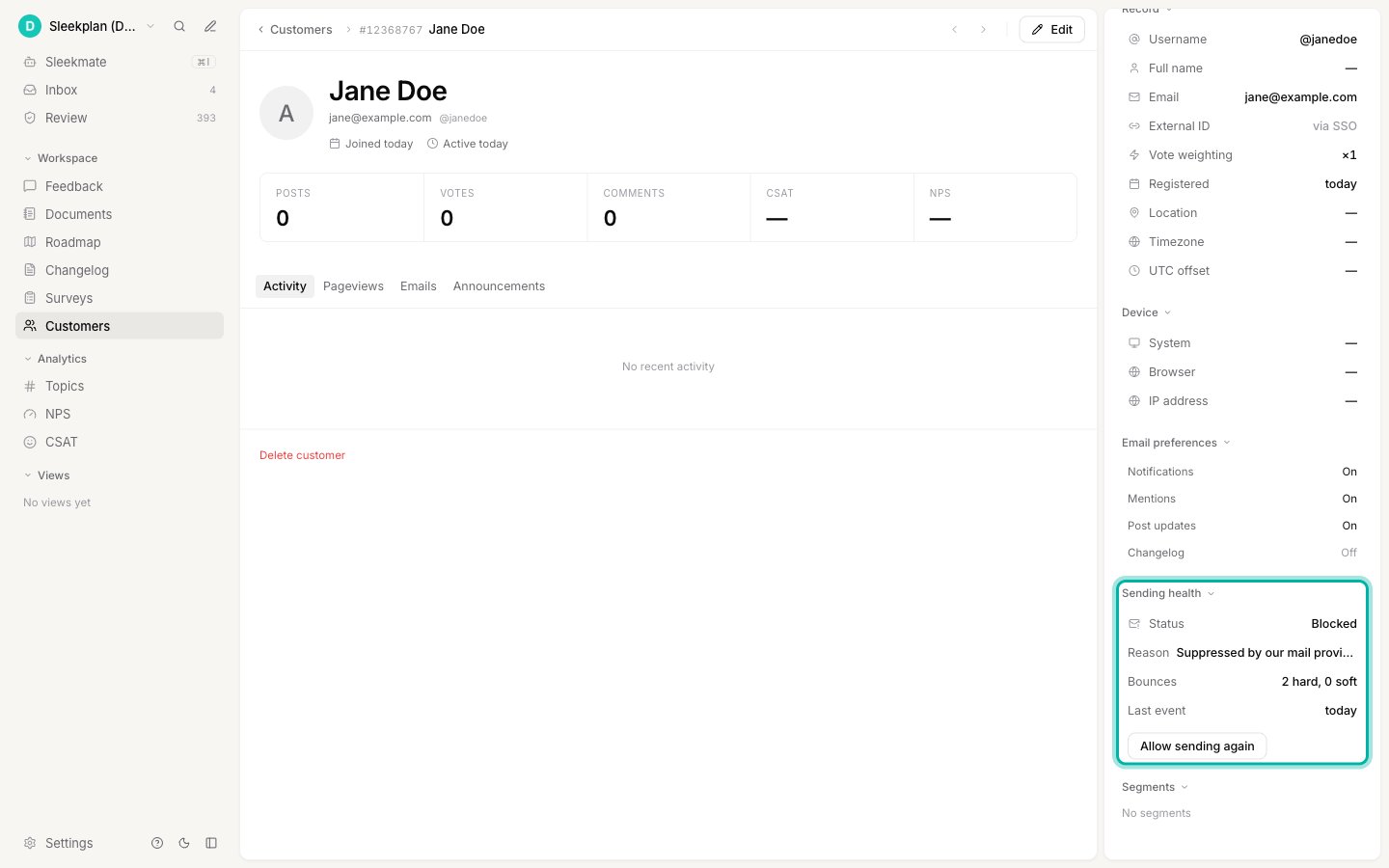
Reason explains what caused it, Bounces counts the failures behind the decision, and Last event is when the most recent one happened.
What each reason means
A spam complaint only stops your workspace. If the same person is a customer of another workspace, that workspace keeps emailing them normally. A rejected mailbox is different: a dead address is dead everywhere, so it stops for every workspace at once.
What still gets through
A stopped address does not lock anyone out. Sleekplan only withholds notification emails: new comments, mentions, status updates, and changelog updates. Sign-in codes, and anything else a person needs to actually use your board, are always sent. Someone whose notifications have stopped can still sign in, post, and vote exactly as before.Start sending again
If you know an address is working, for example the customer fixed a typo or confirmed their mailbox is back, you can restore it.1
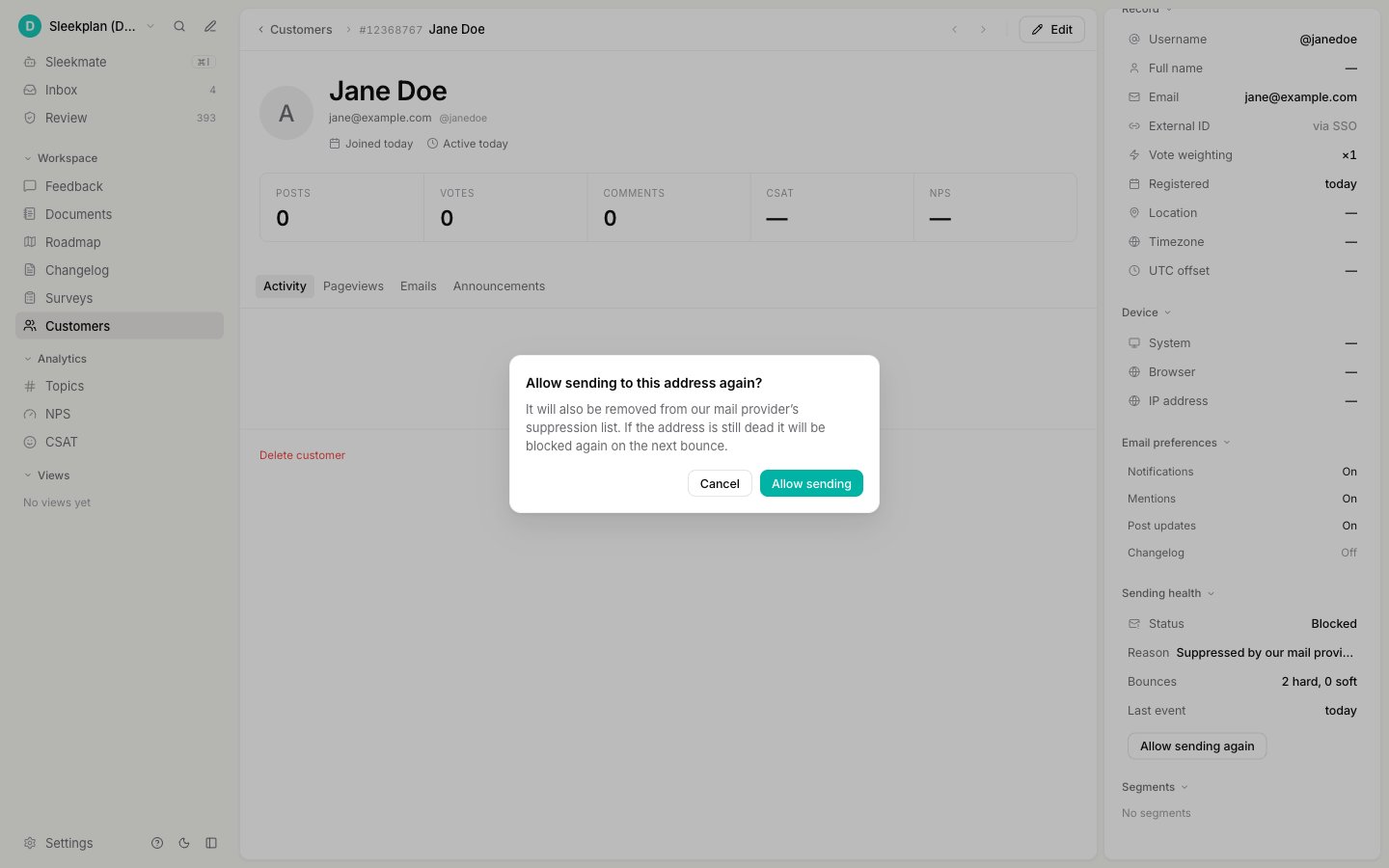
Select Allow sending again
The button appears in the Sending health panel whenever a customer is paused or blocked.
2
Confirm
When it pauses and when it stops for good
You do not need to manage any of this, but it helps to know the rules:- A permanent rejection or a spam complaint stops sending immediately, and it stays stopped until you restore it.
- Temporary failures are forgiven. It takes three inside 30 days to pause an address, and the first pause lasts 30 days. If the same address keeps failing after that, the next pauses are longer (90 days, then 180). A temporary failure never becomes permanent on its own.
Related
Emails Sleekplan sends
Every email your users can receive, who gets each one, and how to send from your own domain.
What happened to each email
The per-message view: every notification you sent a customer, and its outcome.
End-user accounts
How your customers’ accounts work, and why they never sign up at Sleekplan.