Use cases/ Collect website feedback

The website feedback tool where visitors screenshot the page, draw on what is wrong, and see what you do about it.

Overview

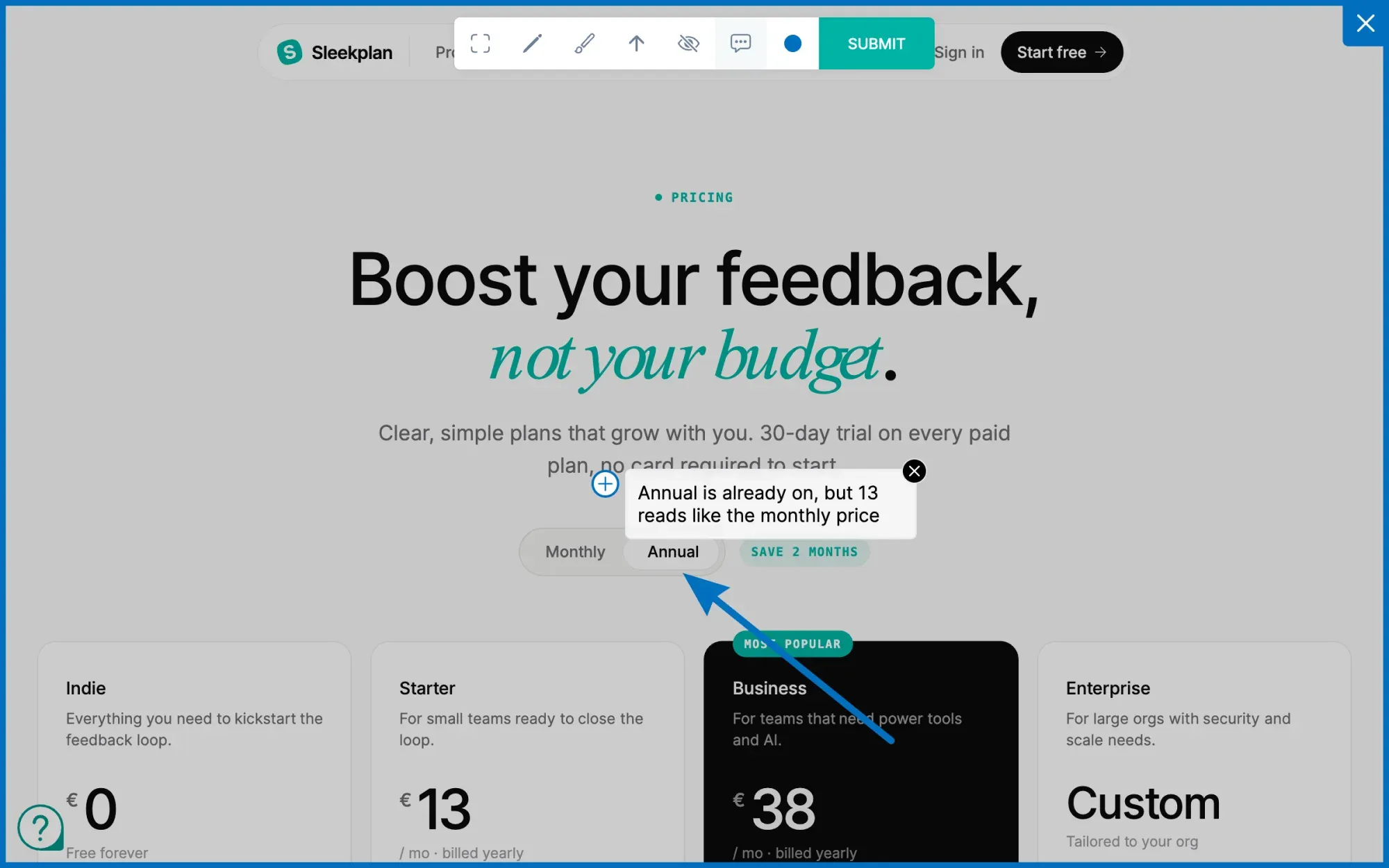
Sleekplan's widget carries a screen-capture button, called Visual feedback in your settings. A visitor clicks it, the page is captured exactly as they see it, and an editor opens over the top: pen, highlighter, arrow, comment pin, colour picker, and a blur tool for anything private in frame. They mark what is wrong, hit submit, and the annotated image arrives as a post in your workspace.

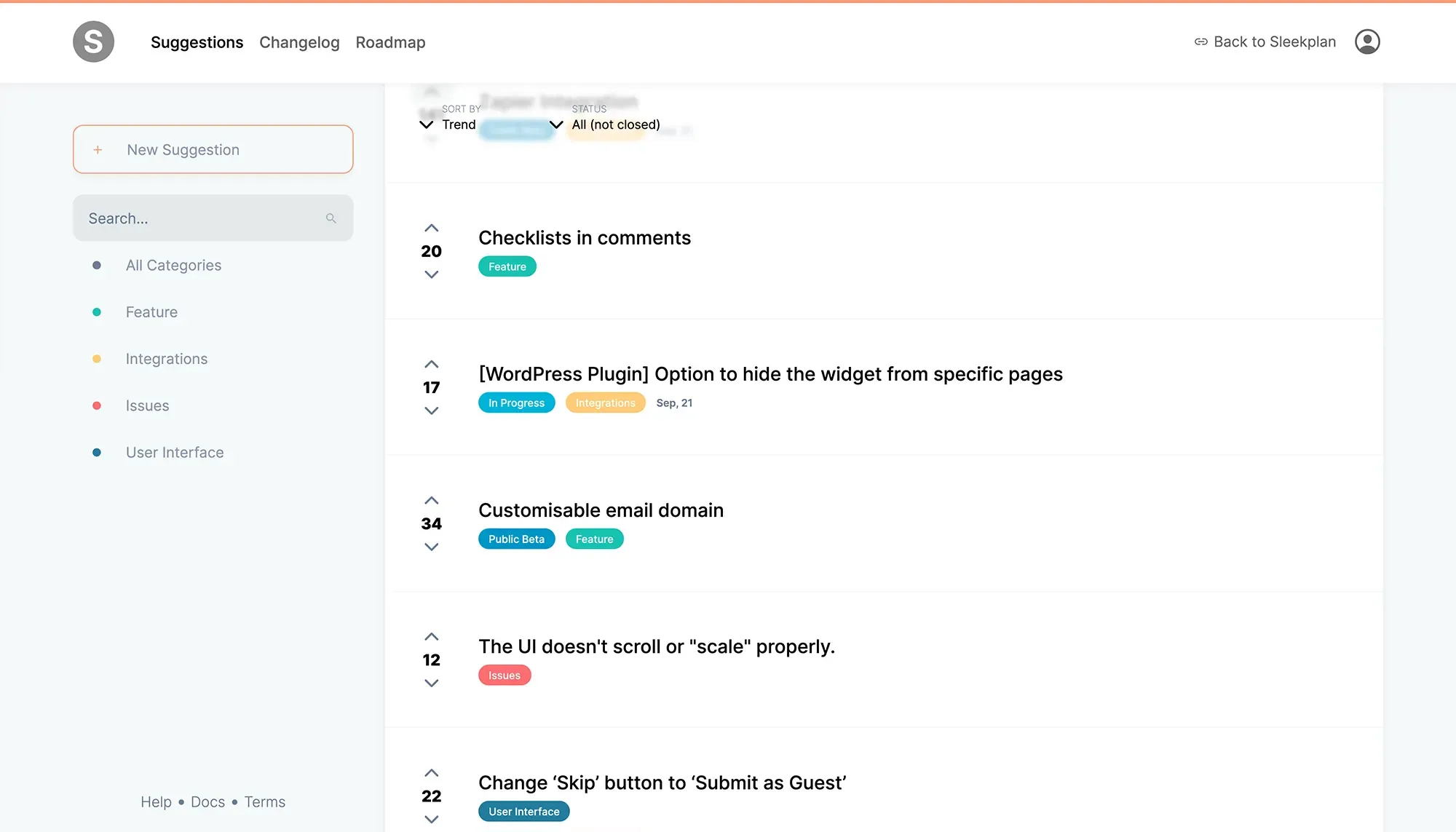
That is where most website feedback tools stop. A report becomes a ticket, and the person who sent it never hears anything again. Here the annotated screenshot becomes a post other visitors can vote on, it shows up on your public roadmap when you pick it up, and the changelog tells everyone who voted when it ships.

How it works

Paste one script tag into your site. The widget loads asynchronously and puts a launcher in the corner. Behind it sit the feedback board, the roadmap, the changelog and the screen-capture button, plus CSAT, NPS and survey prompts you can trigger on any page.

Visitors can post without an email address if you allow anonymous posting, or you can force single sign-on so every post carries a known user. Turn on system metadata and each post arrives with its context attached, so nobody has to ask "which page, which browser?". Your team triages in one inbox, and replies reach the reporter by in-app notification or email.

How it flows
  1. One button, the whole page

    Visual feedback adds a screen-capture button to the widget. The capture is the page as the visitor sees it: their viewport, their scroll position, their content, not a staging copy.

  2. Mark it up before sending

    Pen, highlighter, arrow, comment pin and a colour picker. A blur tool hides anything private in the frame, and the visitor applies it before the image leaves their browser.

  3. It becomes a post, not a ticket

    Every submission lands on the feedback board where other visitors vote and comment. One annotated screenshot turns into ranked demand you can read at a glance.

  4. The reporter hears back

    Status changes notify the person who sent it, the roadmap shows what you picked up, and the changelog announces the fix to everyone who voted. The loop closes without an inbox.

Built on
Learn more

What is a website feedback tool?

A website feedback tool lets visitors, clients or teammates report what is wrong with a page without leaving it. They capture the page, draw on the part that is broken, add a note, and send it. The team receives an annotated image with the context attached, instead of an email that says "the pricing page looks weird on my laptop". It replaces the screenshot-plus-explanation round trip that otherwise eats a support thread.

The two kinds of website feedback, and which one this is

Agencies use these tools for client review: pin comments on a staging site until the client approves it, then move on. Product teams use them for visitor feedback: find out what confuses real people on a live site, continuously. Sleekplan is built for the second. The widget stays installed after launch and keeps collecting, which is why what happens after the report matters more here than the drawing tools do.

What a website feedback tool should do

  • Capture in context — the visitor's own viewport and scroll position, not a staging copy.
  • Let them mark it up — pen, highlighter, arrow and a comment pin, plus a blur tool for anything private in the frame.
  • Carry the context — system metadata on the post, so nobody has to ask where it happened.
  • Stay open to everyone — anonymous posting for visitors, or single sign-on when you need to know who is asking.
  • Answer the person — a status, a roadmap entry, a changelog note. A report that disappears trains people not to send the next one.

Asking, not just waiting

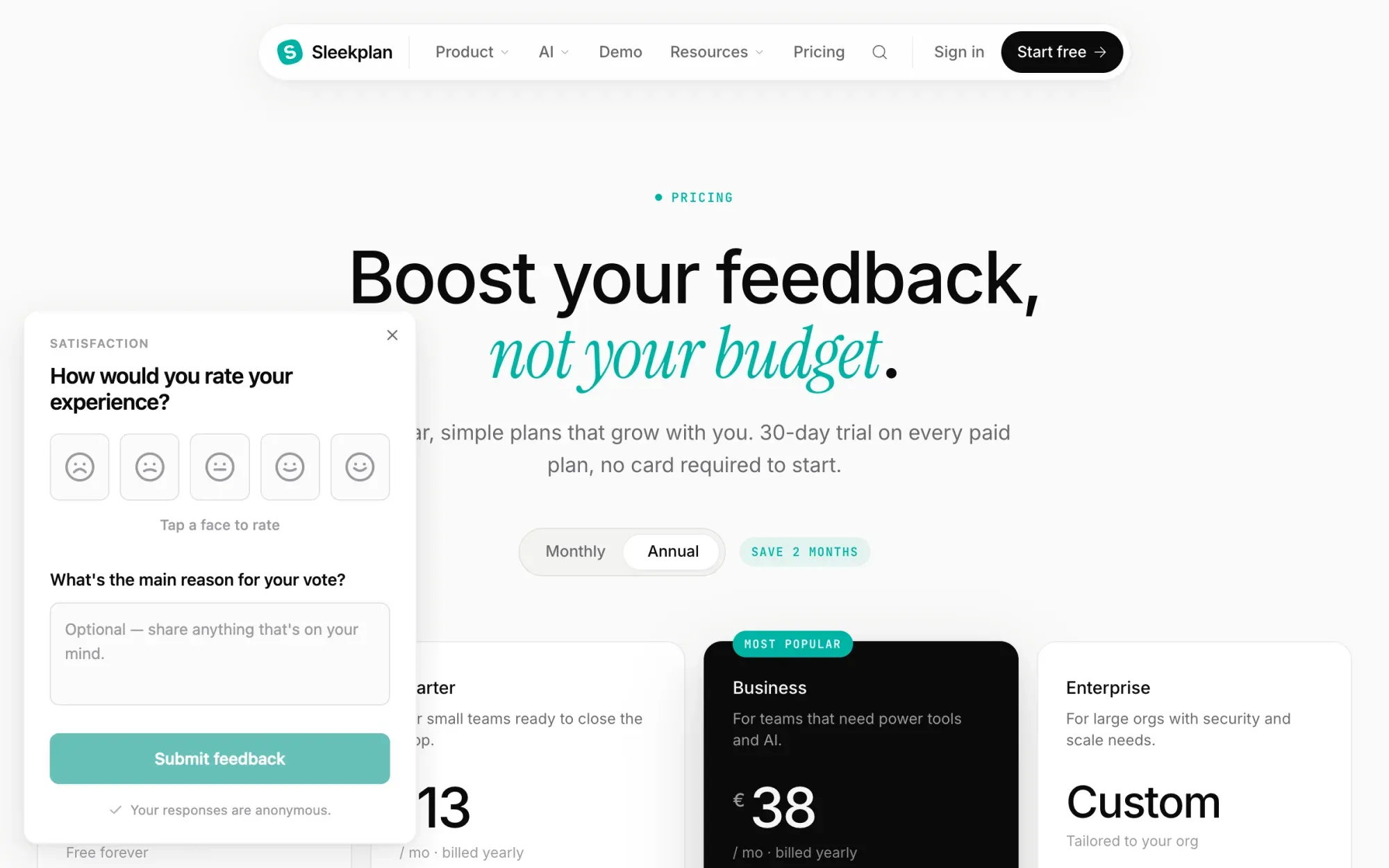
The same widget runs CSAT and NPS prompts and in-app surveys, so you can ask a question on the page where the behaviour happens instead of waiting for someone annoyed enough to complain. A one-click rating with an optional comment answers "is this page working?" for the ninety-nine visitors who would never open a feedback form.

What it costs

The Indie plan is free forever and runs a feedback board and changelog with unlimited feedback items and subscribers on a single-admin workspace. Roadmap, CSAT and NPS start at $13 per month billed yearly; surveys and topic analytics are on the $38 plan. Every paid plan has a 30-day trial and takes no card. Try it free on any site in under five minutes.

Get started in 4 minutes

Your roadmap,
on autopilot.

Free for 30 days. No card, no sales call. Cancel anytime.