Use cases/ Manage customer feedback

The customer feedback tool that scores every request on votes, revenue and urgency, then tells the people who asked when it ships.

Overview

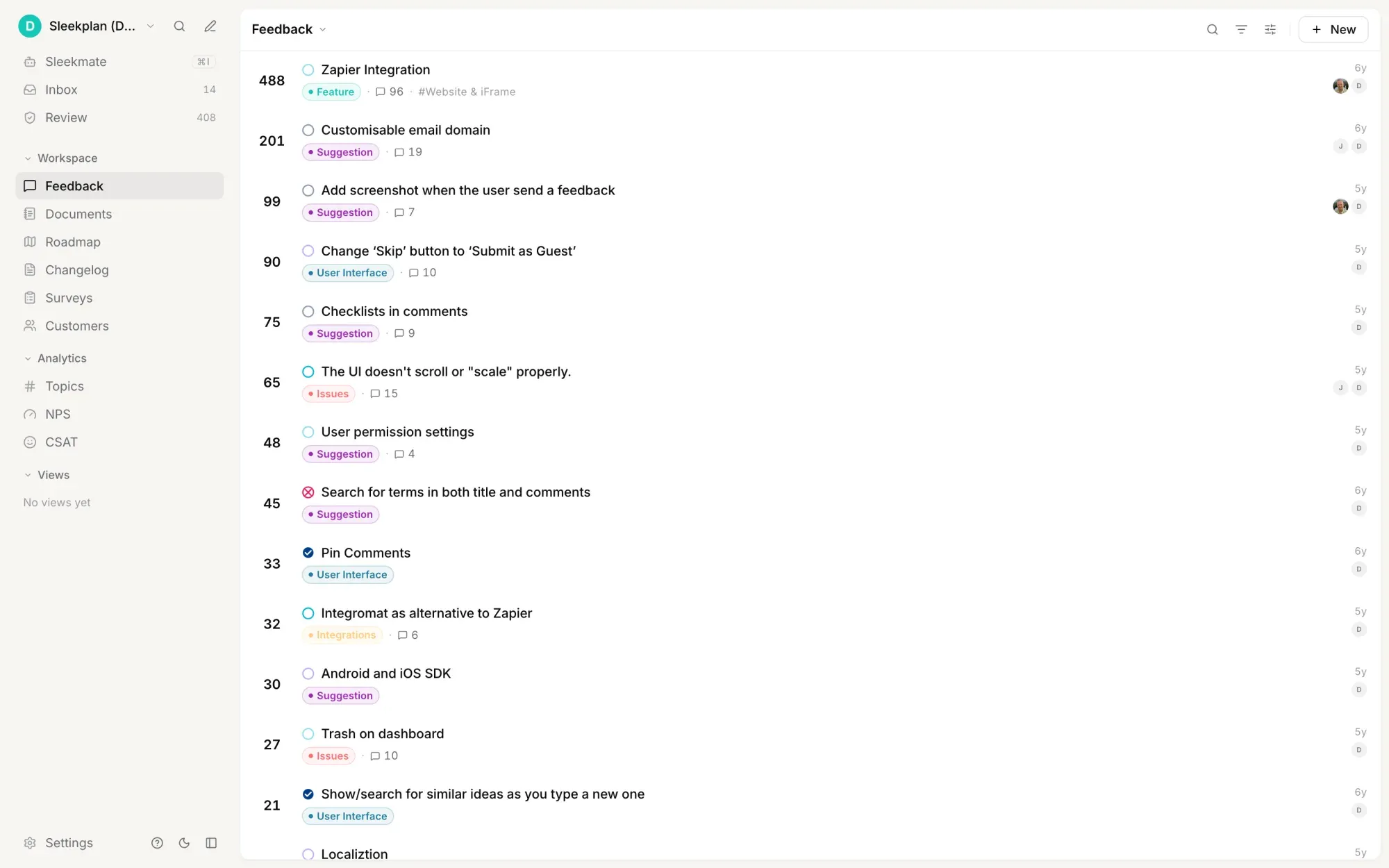
Sleekplan puts a number on every piece of customer feedback. Open a post and the rail shows views, upvotes, downvotes, comments, subscribers, the priority its voters set, the MRR behind them and an impact score built from all of it. You can sort the whole board by that score, or by priority, precedence or the month you estimated. Deciding what to build next stops being an argument about who shouted loudest.

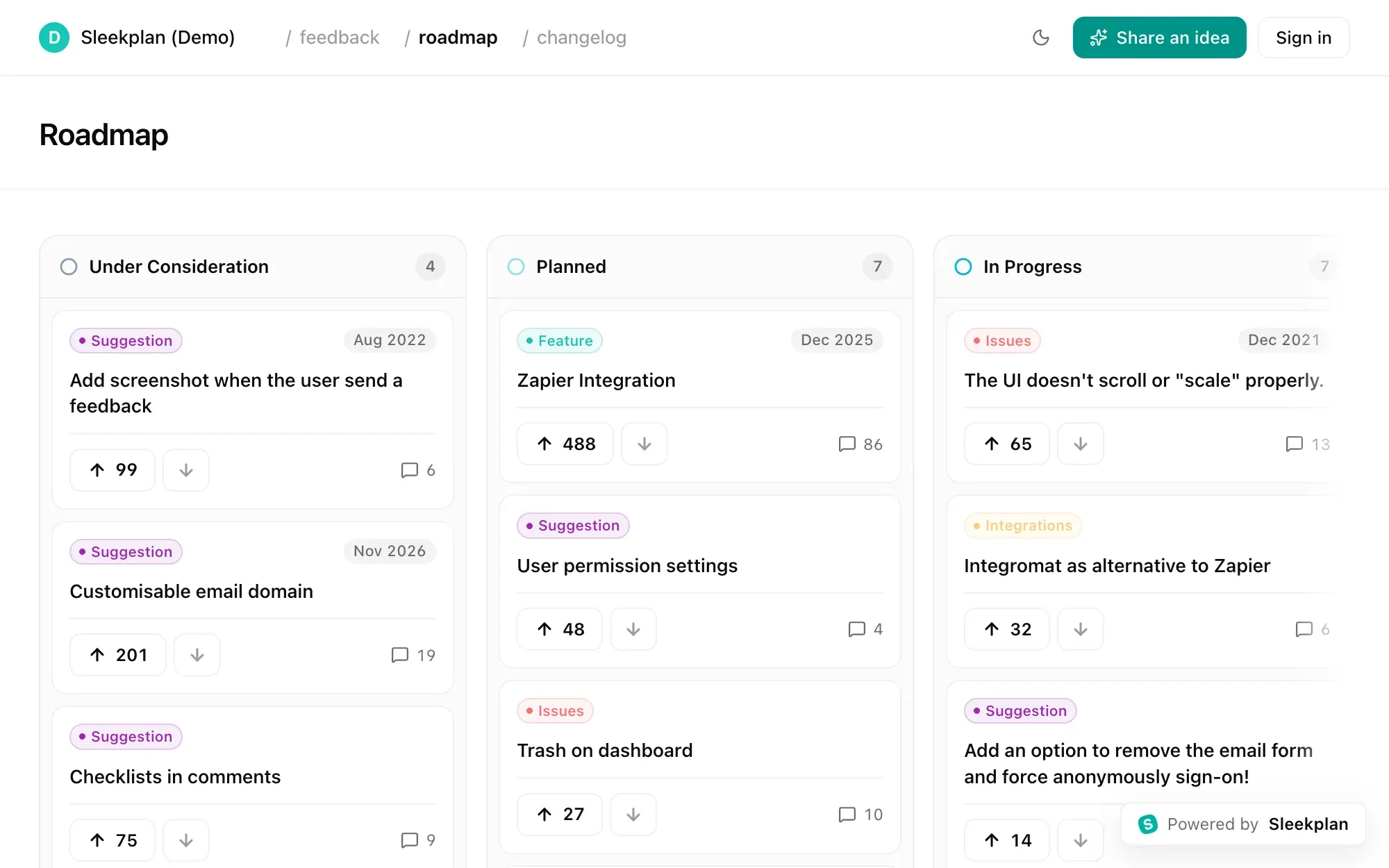
That is half of it. The other half is the part most customer feedback tools never do: answer the person. A status change notifies whoever asked, the public roadmap shows what you picked up, and the changelog announces the release to everyone who voted for it. Board, roadmap and changelog are the same product, so nothing gets copied between tools and nothing goes quiet.

How it works

Requests arrive from the widget on your site or app, from the public board, from a teammate posting on behalf of a customer after a sales call, and from the tools where support already lives: Intercom, Slack, Jira, Linear, GitHub, ClickUp, Zapier. New submissions wait in a review queue before they reach the public board, and near-duplicates surface as similar posts while you read one, so you merge them instead of collecting them.

From there a post takes a type, a component, a status, an owner, an estimated month and labels. Attach the spec or the decision behind it as a document, link it to a Linear issue, and keep the team's thinking in a private reply on the same post the customer can see.

How it flows
  1. Everything lands in one queue

    Widget posts, public board submissions, posts your team files on behalf of a customer, and requests forwarded from Intercom, Slack, Jira or Linear. New ones wait in a review queue, and similar posts surface as you read, so duplicates get merged rather than counted twice.

  2. Every request carries a score

    Views, upvotes, downvotes, subscribers, voter priority and the MRR behind them roll up into one impact number on the post. Sort the board by impact, priority, precedence or estimated date and the order is the argument.

  3. Read the demand behind the votes

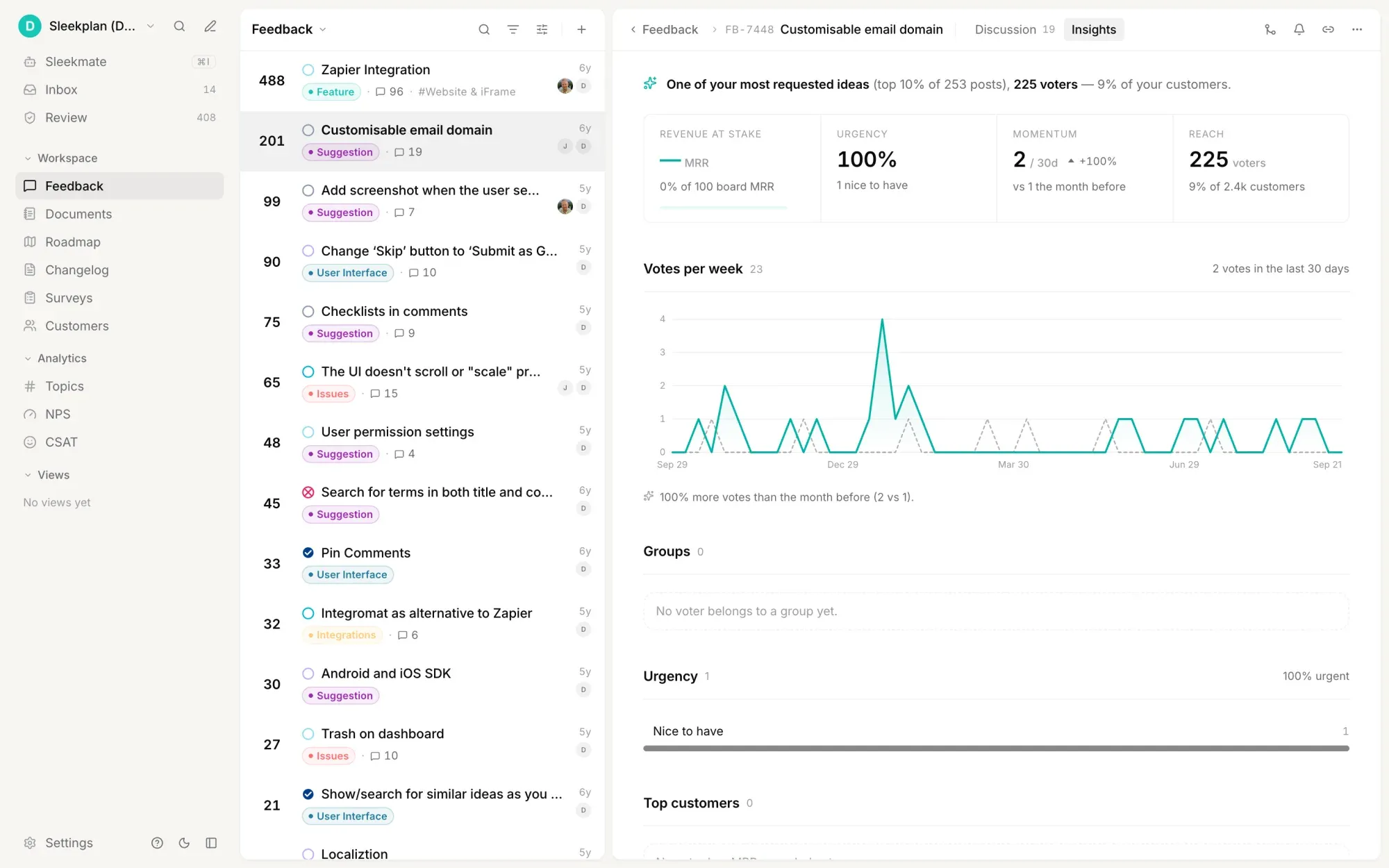
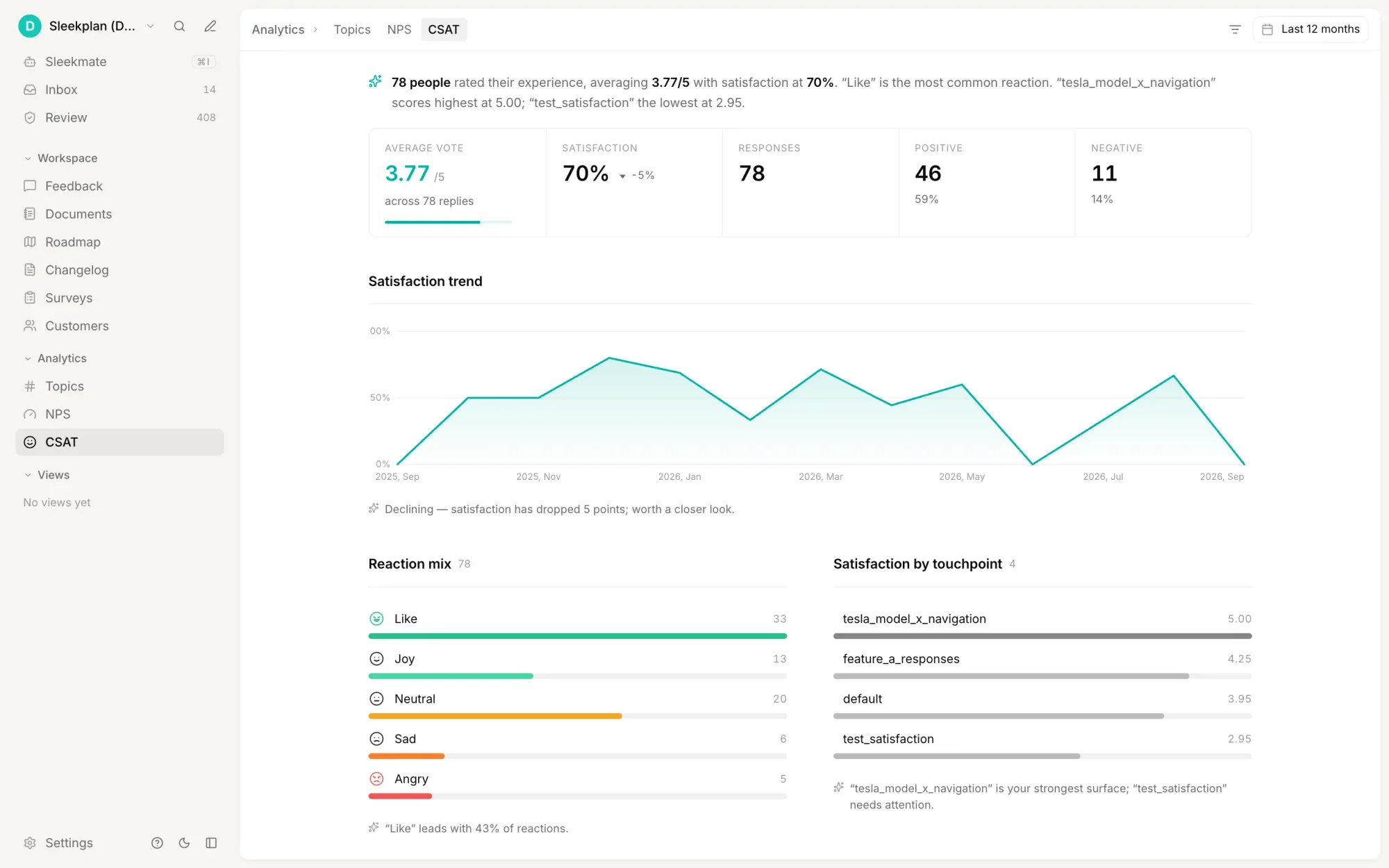
    Each post has an insights view: how many voters as a share of your customers, whether momentum rose or fell in the last 30 days, how urgent those voters said it was, what revenue sits behind it, and how happy the people asking are on CSAT and NPS.

  4. The person who asked hears back

    Turn on status notifications and everyone subscribed to a post gets told when it moves. The public roadmap shows what you picked up, and the changelog announces the release to the people who voted. Nobody has to open a ticket to find out.

Built on
Learn more

What is a customer feedback tool?

A customer feedback tool is where every request, complaint and idea from your customers is collected in one place, ranked so the team can agree on what matters, and answered so the person who wrote it finds out what happened. Without one, feedback fragments across support tickets, Slack DMs, sales-call notes and a spreadsheet nobody opens, and no two people in the company have the same picture of what customers actually want.

What one has to do

  • Collect from every channel: a widget on your product, a public board, your own team posting on behalf of a customer, and the support tools where the rest already arrives.
  • Rank, not just count: votes alone reward whoever is loudest. Weighting by revenue, segment and stated urgency changes the order.
  • Remove the duplicates: the same request phrased six ways looks like six small asks and is really one large one.
  • Close the loop: a status, a roadmap entry, a changelog note. Feedback that disappears teaches people to stop sending it.
  • Stay one tool: three products for "feedback management" gives the team three places to forget to look.

Scoring, not counting

Each post in Sleekplan carries an engagement panel: views, upvotes, downvotes, comments, subscribers, the priority voters chose, the groups they belong to and the MRR behind them. Those roll into an impact score on the post, and the board can be sorted by it, or by priority, precedence or the estimated month. A post's insights view then breaks the same demand down by reach as a share of your customers, momentum against the previous month, urgency, revenue at stake, and how those voters rate you on CSAT and NPS.

Where the feedback comes from

The widget installs with one script tag and carries the board, the roadmap, the changelog, CSAT and NPS prompts and in-app surveys. Beyond it, Sleekplan connects to Intercom, Slack, Jira, Linear, GitHub, ClickUp, Azure DevOps, WordPress and Zapier, so a request raised in support becomes a post without anyone retyping it, and a post you accept becomes an issue in the tracker your engineers already use.

What it costs

The Indie plan is free forever and runs a feedback board and changelog with unlimited feedback items and subscribers on a single-admin workspace. Roadmap, CSAT and NPS start at $13 per month billed yearly; surveys and topic analytics are on the $38 plan. Every paid plan has a 30-day trial and takes no card. Start free.

Get started in 4 minutes

Your roadmap,
on autopilot.

Free for 30 days. No card, no sales call. Cancel anytime.