The product manager who works next to you.
Sleekmate is the AI agent for product managers built into Sleekplan. It sorts feedback, reviews your week and drafts the changelog, on its own or with your approval, with data from every tool you connect.
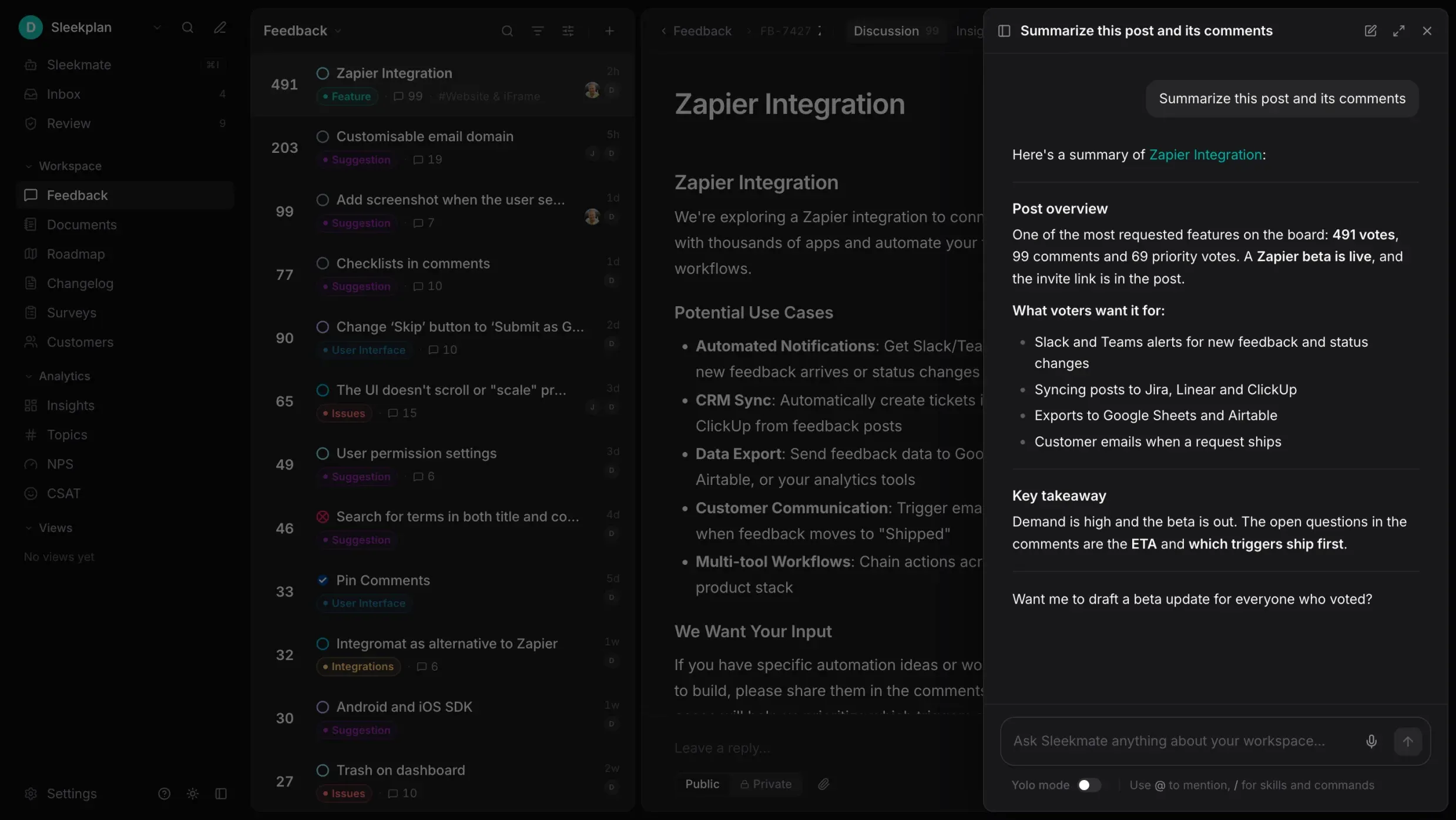
It works when you ask. And when you don't.
Three ways to put it to work, and two of them start without you.
One shortcut away.
Press ⌘I (Ctrl+I on Windows) on any page and Sleekmate opens as a panel over it, already aware of the post, document or customer you have open.
Runs while you sleep.
Hourly, daily, on weekdays, weekly or monthly, in your timezone. Every run leaves a thread you can read, so you always see what it did.
Reacts to 51 events.
A new post, a comment, a status change, a vote, an NPS or CSAT answer, a published changelog entry, a work item that needs a decision. Pick one, and Sleekmate acts when it happens.
Ready on day one.
Four schedules and four skills for the work every product team repeats. Pick one, read every line, make it yours.
| Schedules | What it does | Runs |
|---|---|---|
| Daily triage | Sorts new posts and leaves an internal note where a person is needed: a likely duplicate, personal data, spam, several requests in one post, or a vague one with a reply drafted. | Weekdays at 08:00 |
| Weekly product review | What came in, what's gaining votes, what still waits for a reply and what shipped without a changelog entry. Changes nothing. | Mondays at 08:00 |
| Weekly changelog draft | Turns the posts you completed this week into one changelog draft in your voice. Never publishes it. | Fridays at 14:00 |
| Triage new errors | Gives each new error that hits real users a work item with the evidence, and links the posts that report it. | Weekdays at 08:00 · Sentry or PostHog |
| Skills | What it does | Works with |
| Reply to feedback | Drafts a reply in your team's voice after checking status, work items and changelog, and posts it only when you say so. | No app needed |
| Capture feedback from a call | Turns call notes into votes on existing posts or new posts in the customer's name, and shows you the plan first. | Granola or pasted notes |
| Triage a bug report | Matches a bug post with errors and session recordings, suggests a severity with its reason and links the evidence. | Sentry, PostHog, Jam |
| Revenue behind a request | Adds up the revenue of the companies whose people voted for a post. | Stripe, Attio |
Autopilot or approval. Your call.
By default, Sleekmate asks before it changes anything. When a job has earned your trust, let it run on its own.
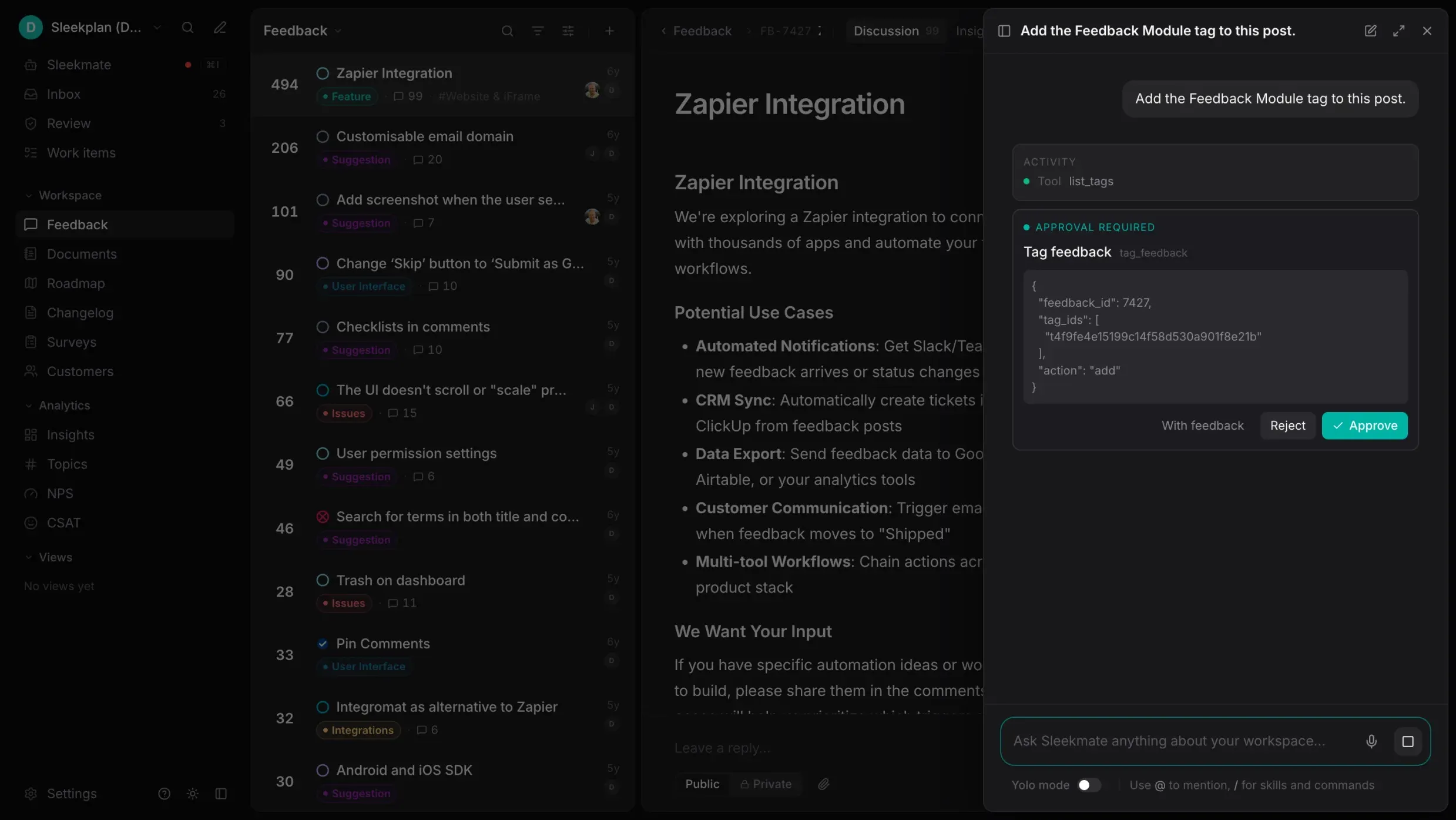
Every change waits for you.
Sleekmate shows what it wants to change on an approval card and does nothing until you approve it. If it waits four hours, you hear about it in your inbox and by email.
Trust a schedule? Let it run.
Run without approval is a switch on each schedule, and no template turns it on. In a chat, Yolo mode does the same.
Templates never go public.
No template publishes a status, merges, closes or deletes a post, posts a public comment, publishes a changelog entry or messages a customer.
No training on your data.
Sleekmate runs on AWS Bedrock in Ireland (eu-west-1). Neither AWS nor the model provider trains a model on what it reads or writes.
Plugged into your whole stack.
Sixteen apps come ready to connect, and any other MCP server works by its URL. Sleekmate reads them freely and asks before it writes.
- Linear
- Jira & Confluence
- GitHub
- Notion
- ClickUp
- monday.com
- Intercom
- Sentry
- Jam
- PostHog
- Amplitude
- Mixpanel
- Granola
- Miro
- Attio
- Stripe
- Any MCP server
Signed in as you.
Connectors are personal: Sleekmate uses yours in your chats and your schedules, never a teammate's. Switch any of them off for one chat or one schedule.
Your playbooks, written once.
Write down how your team does a job, or ask Sleekmate to save what it just did. It follows the skill whenever that job comes up, and admins can share it with everyone.
It remembers what matters.
Switch memory on and it keeps your lasting preferences. A schedule remembers what it already saw, so each run picks up where the last one stopped.
Feed it every conversation.
Feedback Capture reads every closed Intercom, Zendesk, HubSpot and Help Scout conversation and the reviews on 29 platforms, and turns the requests in them into votes and posts. Sleekmate takes it from there.
Hand over the
busywork.
Sleekmate comes with every plan from Starter. Start with Daily triage, read its notes over coffee, then decide what to hand over next.