Multi-channel customer feedback means collecting input across the places customers already use, then routing it into one system your team can organize, prioritize, and act on. For SaaS teams, that usually means combining email surveys, in-app prompts, website widgets, chat, support tickets, social mentions, and occasional offline touchpoints.
A single survey or support inbox creates blind spots. Multi-channel collection gives product, support, customer success, and CX teams a fuller view of customer needs, friction, and demand.
What multi-channel customer feedback is
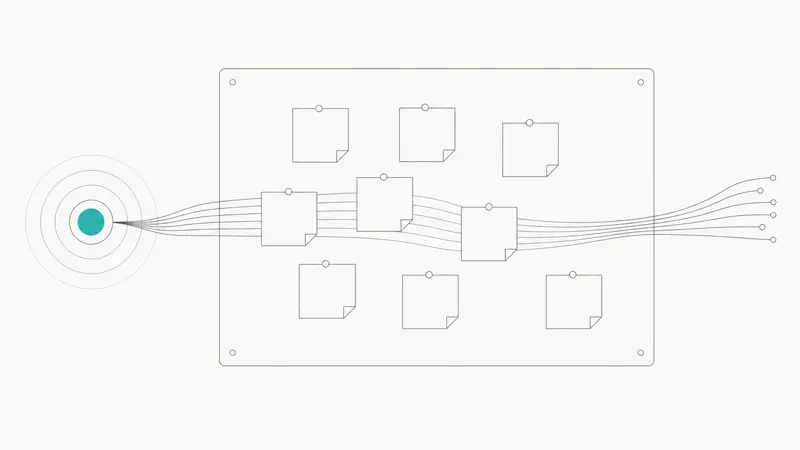
Multi-channel customer feedback is the structured collection of customer input from several touchpoints instead of relying on one source, such as email surveys alone. In practice, that can include websites, mobile and web apps, email, social media, live chat, support tickets, phone calls, and in-person surveys. Sogolytics gives a useful overview of multi-channel feedback.
Multi-channel vs. omnichannel
The terms are related, but they are not the same.
- Multi-channel feedback means you collect feedback from multiple places.
- Omnichannel feedback means those channels are connected, so the context follows the customer.
If someone submits a survey, contacts support, and later leaves feedback in-app, an omnichannel setup helps your team see those interactions together instead of as separate records. Sprinklr’s explanation of omnichannel experience shows how service teams unify channel context into a single view.
Why it matters for SaaS teams
For SaaS companies, the value is not just broader coverage. It is better product decisions.
- It reduces sampling bias. Email surveys often over-represent some users, while in-app and support channels capture feedback closer to the moment of use.
- It improves prioritization. Feature requests from support, sales, and active users can be compared in one place.
- It aligns teams. Product, support, success, and CX can work from shared signals instead of isolated inboxes.
- It helps close the loop. When feedback is centralized, teams can update status, publish releases, and communicate outcomes more consistently.
Which channels organizations use most
Most organizations do not rely on one channel. They combine a small set of reliable sources based on customer behavior.
- Email surveys. Still a common B2B channel because they are easy to send, structured, and tied to known contacts and accounts. CustomerGauge explains why email as a primary channel remains effective.
- Website prompts. Good for capturing feedback from prospects, evaluators, or users browsing help content.
- In-app microsurveys. Useful for contextual input after onboarding steps, feature use, or friction points.
- Live chat and support tickets. Often the richest source of qualitative feedback because customers explain the problem in their own words.
- Social and review sites. Useful for unsolicited sentiment, especially around launches, outages, and pricing changes.
- Offline touchpoints. Relevant for companies with physical locations, events, or field operations.
The tool categories teams combine
Most teams use a stack, not a single tool.
- Survey and VoC platforms capture structured responses across email, web, in-app, SMS, and sometimes offline channels.
- Product feedback systems collect requests, merge duplicates, support voting, and connect ideas to roadmap and release updates.
- Website and in-app widgets capture contextual feedback directly inside the product experience.
- Omnichannel service platforms consolidate chat, email, social, and phone conversations, which often contain high-value feedback.
Where Sleekplan fits in a multi-channel setup
Sleekplan works best as the hub for product feedback and follow-up. Teams can collect requests from widgets, boards, in-app prompts, email, Slack, Intercom, and APIs, then organize that signal in one place. From there, they can review duplicates, tag themes, update statuses, plan work, and publish roadmap and changelog updates.
If you want to see how that works in practice, the product feedback tool shows how teams centralize requests, and Sleek Intelligence covers AI-assisted clustering and synthesis.
Definitions that keep teams aligned
A few clear definitions prevent confusion once multiple teams join the process.
- Customer feedback loop: collect input, decide what to do, act on it, then communicate back to customers.
- Multi-channel collection: gathering feedback through several channels that match customer habits.
- Omnichannel service: connecting channels and customer context so interactions contribute to one shared view.
A practical workflow for implementing multi-channel customer feedback
1. Map journeys and choose channels by behavior
Start with where customers already respond.
- B2B buyers often answer email surveys.
- Active users respond better in-app.
- Prospects may use website prompts.
- Existing customers often share the most detail through support chat and tickets.
Do not try to cover every channel at once. Start with the channels that already carry real customer conversations.
2. Standardize your survey instruments
If you use NPS, CSAT, or CES across channels, keep wording and scales consistent. Otherwise, you will not be able to compare results cleanly.
Also standardize taxonomies, question IDs, and response labels where possible.
3. Instrument the product and website
Add feedback prompts at meaningful moments, such as:
- after onboarding completion
- after first use of a new feature
- on high-friction screens
- on help center or pricing pages
Use triggers tied to URLs, events, lifecycle stage, or segments.
4. Connect support and messaging systems
Support conversations contain valuable product signals, but only if your team captures them in a structured way. Connect chat and ticketing workflows so agents can link requests, create feedback posts, or attach relevant context while handling the conversation.
5. Centralize the signal
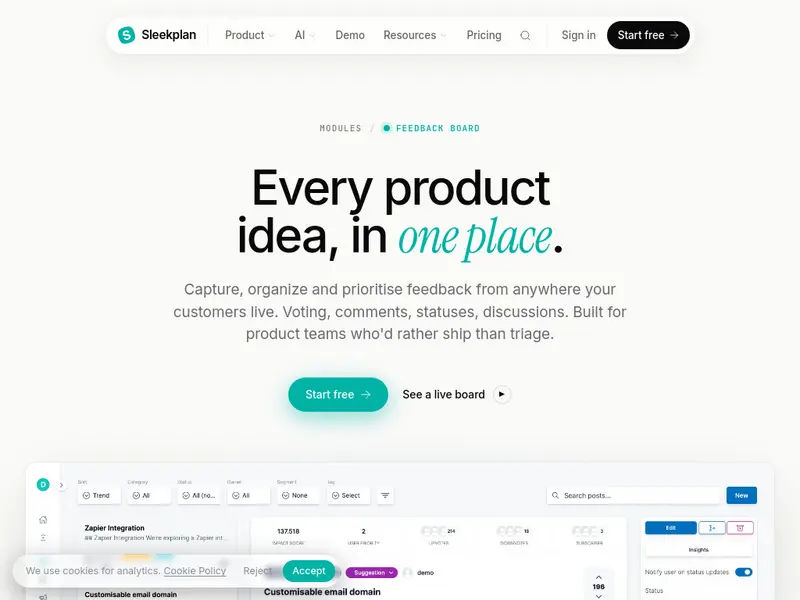
Route surveys, widgets, tickets, chats, and reviews into one system of record. Keep the metadata that makes feedback usable later:
- channel
- customer
- account
- segment
- product area
- version
- URL or screen
- timestamp
Without attribution and context, feedback becomes much harder to prioritize.
6. Organize feedback for decisions
A simple model works well:
- Statuses show progress, such as Under Review, Planned, In Progress, or Complete.
- Categories group feedback into clear public themes or product areas.
- Tags add internal context, such as segment, urgency, source channel, or strategic theme.
Keep public categories limited. Let tags carry the complexity behind the scenes. For the full filing system, taxonomy layers and a weekly triage cadence included, see our guide on how to organize customer feedback.
7. Use AI carefully
AI can help cluster duplicates, detect themes, and summarize large volumes of input. It should not replace human review.
Product managers, support leads, and CX owners still need to validate themes, merge edge cases correctly, and judge strategic importance.
8. Prioritize against real criteria
Use a small set of decision factors consistently:
- demand volume
- customer segment impact
- strategic fit
- effort
- churn or revenue relevance
A weekly review of new themes and a monthly prioritization cadence is often enough for mid-sized SaaS teams.
9. Close the loop visibly
Customers should not have to wonder what happened after they shared feedback. Update statuses, publish changelogs, and announce releases in visible places.
That is where a public board, roadmap, and changelog become useful. They reduce duplicate requests and show that customer input is being reviewed and acted on.
A simple operating model for organizing feedback
Once collection is working, consistency matters more than complexity.
- Statuses: one per item, representing progress only
- Categories: one primary grouping, usually public-facing
- Tags: multiple internal labels for source, urgency, segment, or theme
- Ownership: a clear DRI for each category or product area
- Triage SLA: a defined window, such as five business days, for initial review
This model is simple enough for support and success teams to follow, but structured enough for product planning.
Example: bringing chat into the loop
One common gap is chat. Teams handle valuable conversations there, but the product signal disappears unless agents manually copy it elsewhere.
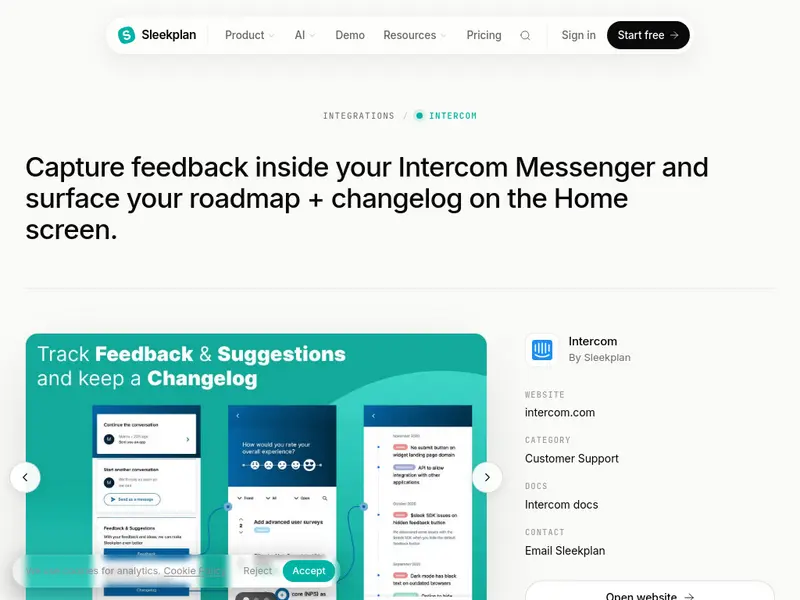
With the Intercom integration, customers can browse feedback, roadmap items, and changelogs from Messenger, while agents can search, link, or create feedback posts without leaving the conversation. That keeps context attached to the customer record and makes follow-up easier.
Selection criteria for your tool stack
When choosing tools, evaluate them against the basics first.
- Channel coverage. Does it support the channels your customers actually use?
- Integration depth. Can it connect to your CRM, helpdesk, analytics, and collaboration tools?
- Feedback organization. Can you manage categories, tags, statuses, ownership, and duplicates cleanly?
- Analytics quality. Does it offer useful theme detection and summaries, or only dashboards?
- Closed-loop support. Can your team publish updates, roadmaps, or changelogs from the same workflow?
- Ease of use. Can support, success, and product teams all contribute without heavy process overhead?
- Pricing fit. Does the model match your expected volume, seats, and AI usage?
Common mistakes to avoid
- Using different scales or wording across channels, which makes comparison unreliable
- Over-relying on one channel and mistaking a vocal minority for broad demand
- Collecting feedback without customer or account attribution
- Letting requests disappear into hidden backlogs with no visible updates
- Treating AI summaries as final truth without PM or CX review
The practical next step
Pick three channels you already trust, usually email, in-app, and support. Standardize how you collect feedback, centralize it with attribution, and run a lightweight operating model with statuses, categories, tags, and visible updates.
That is enough to build a reliable multi-channel customer feedback process. Once the foundation is working, you can expand coverage without losing clarity.