Finding the best survey tool in 2026 depends less on a single winner and more on fit. Product and CX teams usually need a mix of tools: one for in-app feedback, one for broader surveys, and, in some cases, a self-hosted option for privacy-sensitive research. The right setup helps you collect feedback in context, turn responses into product decisions, and close the loop with customers.
What is the best survey tool in 2026?
There is no universal best survey tool. The best choice depends on your use case, delivery context, AI needs, and data governance requirements.
For most SaaS teams, the strongest setup includes:
- A core product feedback hub
- An in-app survey layer for contextual feedback
- A general-purpose survey tool for broader research
- A privacy-first or self-hosted option when compliance matters

Definitions that help teams stay aligned
- Customer feedback loop: collect, organize, prioritize, act, and communicate outcomes to customers
- In-app survey: a short survey shown inside the product, triggered by user behavior or milestones
- AI survey tools: tools that help generate questions, summarize open text, detect sentiment or themes, and support follow-up actions
Why survey tools matter for SaaS teams
Survey tools are only useful when they support real product decisions.
In SaaS, that usually means three things:
- Feedback arrives in context, not days later when users forget the moment
- Responses connect to roadmap decisions, feature adoption, or support patterns
- Teams can act on feedback and communicate what changed
Context matters. In-app surveys often produce stronger signal than email because they appear close to the experience being evaluated. This in-app surveys overview shows common trigger patterns and practical examples.
A practical framework to evaluate survey tools
Use these five dimensions to evaluate any tool or stack.
1. Use-case fit
Different tools are built for different jobs:
- Product feedback and continuous discovery
- General research and broad questionnaires
- In-app sentiment collection
- Enterprise research with advanced analysis
- Privacy-sensitive or self-hosted studies
2. Delivery context
Ask where the survey needs to appear:
- In-app widgets with behavior-based triggers
- Link and email distribution
- Both, depending on audience and workflow
3. AI support
AI is most useful in three areas:
- Drafting questions
- Summarizing open-ended responses
- Grouping responses by sentiment, topic, or urgency
It can save time, but it does not replace product judgment.
4. Data governance
Some teams are fine with cloud software. Others need:
- Self-hosting
- Data residency control
- More oversight for regulated or sensitive studies
5. Economic and organizational fit
The best tool also needs to match your operating model:
- Licensing cost
- Setup complexity
- Admin overhead
- Developer involvement
- Team capacity to review and act on feedback
How to build a practical survey stack
For most product-led teams, a balanced stack looks like this:
-
Core feedback hub A platform that connects surveys with ideas, roadmap decisions, and changelogs. This keeps feedback tied to action instead of trapped in a reporting tool. For that role, a product feedback tool can help centralize incoming signals.
-
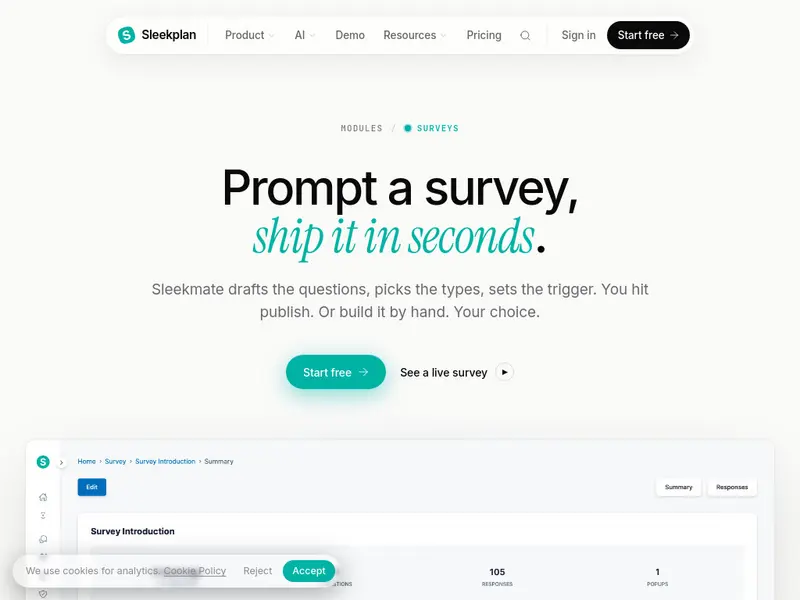
In-app sentiment layer A lightweight survey system for NPS, CSAT, CES, and feature feedback, triggered at the right moment inside the product. The Sleekplan surveys feature page shows how this works in practice.
-
General-purpose survey utility A flexible tool for longer questionnaires, internal polls, or research that works best through link or email distribution.
-
Privacy-first research option An open-source or self-hosted tool for regulated environments or teams with strict infrastructure requirements.
Tool roles across the market
Instead of treating the category as a single ranking, it is more useful to map tools to roles.
| Option | Best for | Key strength | Main limitation | Typical use case |
|---|---|---|---|---|
| Sleekplan | Product feedback loop | Connects surveys to ideas, roadmap, and changelog with AI support | Not built for academic or panel-based research | Continuous discovery in SaaS |
| Qualaroo | In-app contextual feedback | Behavior-based targeting with sentiment support | Better for micro-surveys than long studies | UX feedback after key actions |
| ProProfs Survey Maker | Fast AI-assisted surveys | Quick setup and accessible analytics | Not an enterprise research suite | NPS, CSAT, internal surveys |
| Zonka Feedback | CX programs with follow-up | Emotion and urgency detection | More CX-focused than research-focused | Post-transaction feedback triage |
| Typeform | Branded conversational surveys | Strong form experience and presentation | Less focused on deep in-app targeting | Onboarding and lead capture |
| SurveyMonkey | General-purpose surveys | Broad template library and distribution options | Limited native in-app context | Team-wide surveys and research |
| Qualtrics | Enterprise experience management | Advanced analytics and text analysis | High cost and complexity | Large-scale enterprise research |
| Google Forms | Basic survey collection | Free and familiar | Limited logic and analysis | Internal polls and simple feedback |
| LimeSurvey | Self-hosted open source | Strong control over infrastructure and data | Setup and maintenance effort | Regulated or academic research |
| Formbricks | Open-source in-app surveys | Privacy-first deployment with modern targeting | Lighter AI support | Self-hosted product surveys |
In-app survey best practices
If you want better response quality, focus on timing and scope.
- Keep surveys short, usually 3 to 4 questions
- Pair one rating question with one open text field
- Put open text last and make it optional
- Use conditional logic for follow-up questions
- Trigger surveys after meaningful product moments
- Add throttling and re-show rules to avoid fatigue
- Review responses regularly and communicate what changed
For teams running satisfaction surveys inside the product, an NPS & CSAT Survey Tool should support targeting, follow-up rules, and response review in one workflow.
Where AI survey tools help, and where they do not
AI survey tools are useful in three parts of the workflow.
Design assistance
AI can suggest question wording, reduce ambiguity, and speed up survey creation. For a practical look at this workflow, see AI Survey Generator Workflows for Product Managers.
Analysis support
AI can summarize comments, flag sentiment, and group responses into themes. This is especially helpful when teams receive large volumes of open-text feedback.
Action support
Some tools can draft summaries or highlight likely priorities. A layer like Sleek Intelligence can help teams move faster from raw feedback to decision-ready insights.
This overview of best AI survey makers is useful if you want to compare how vendors package these capabilities.
Human review still matters. Teams should verify AI output when:
- Comments contain sarcasm or mixed sentiment
- Popularity is being confused with strategic priority
- Recommendations affect roadmap decisions
- Summaries need to be checked against raw responses
Privacy, compliance, and open-source options
Some teams need tighter control over survey infrastructure and data.
Open-source tools can make sense when:
- You need self-hosting
- Data residency is non-negotiable
- Security review is part of procurement
- Survey data includes sensitive internal or regulated information
Formbricks surveys overview is a good example of a privacy-first option that supports in-app, website, email, and link-based surveys.
LimeSurvey fills a similar role for teams that want a mature self-hosted survey engine, but it usually requires more manual setup and maintenance.
The tradeoff is straightforward: you gain control, but you take on more operational responsibility.
A simple selection workflow for product teams
Use this process to choose your stack.
1. Define the job to be done
Be specific about what you need surveys to support:
- Product discovery
- Customer satisfaction tracking
- Feature feedback
- Market or brand research
- Compliance-driven research needs
2. Match the job to the channel
- Use in-app surveys for product and UX moments
- Use email or links for broader, longer studies
3. Decide your AI posture
Choose whether your team needs:
- Manual workflows and templates
- AI help with drafting and tagging
- More advanced summarization and prioritization support
4. Pick one tool per role
Avoid overlapping subscriptions unless they serve a real operational need.
5. Add operating guardrails
Set rules for:
- Trigger timing
- Survey frequency
- Ownership of response review
- How outcomes are shared back with customers
6. Measure and simplify
Track:
- Response rates
- Completion rates
- Dismissal rates
- Impact on product decisions
- Whether tools are duplicating each other
Common mistakes to avoid
- Over-surveying active users
- Asking for feedback before users reach value
- Forcing users into rigid answer choices
- Collecting open text without a plan to review it
- Keeping survey data separate from prioritization and release communication
What to do next
If you are choosing the best survey tool for a SaaS team, start by listing the roles you actually need to fill: in-app feedback, broader survey distribution, product feedback management, and privacy-sensitive research. Then pick one tool for each role, define clear survey triggers, and make sure responses feed into prioritization and customer communication.
A survey tool creates value when it improves decisions, not when it simply collects more responses.