> ## Documentation Index
> Fetch the complete documentation index at: https://sleekplan.com/llms.txt
> Use this file to discover all available pages before exploring further.
# Feedback processing
> Automatically triage new posts and comments with AI: flag spam, suggest merges, strip confidential data, write follow-ups and label sentiment.
New feedback needs a first pass before it is useful: is it spam, is it a duplicate, does it give you enough to act on? **Feedback processing** lets Sleek Intelligence do that triage automatically, on both posts and comments, the moment they arrive. You switch on only the automations you want, and each runs in the background.
Feedback processing is part of [Sleek Intelligence](/help/sleek-intelligence), so Sleek Intelligence must be enabled first (**Starter** plan and above). Each automation uses [Intelligence credits](/help/sleek-intelligence/credits) when it runs.
## Turn on automations
Only workspace **owners and admins** can change these settings.
Go to [**Settings → Sleek Intelligence → Feedback Processing**](https://app.sleekplan.com/settings/intelligence/processing).
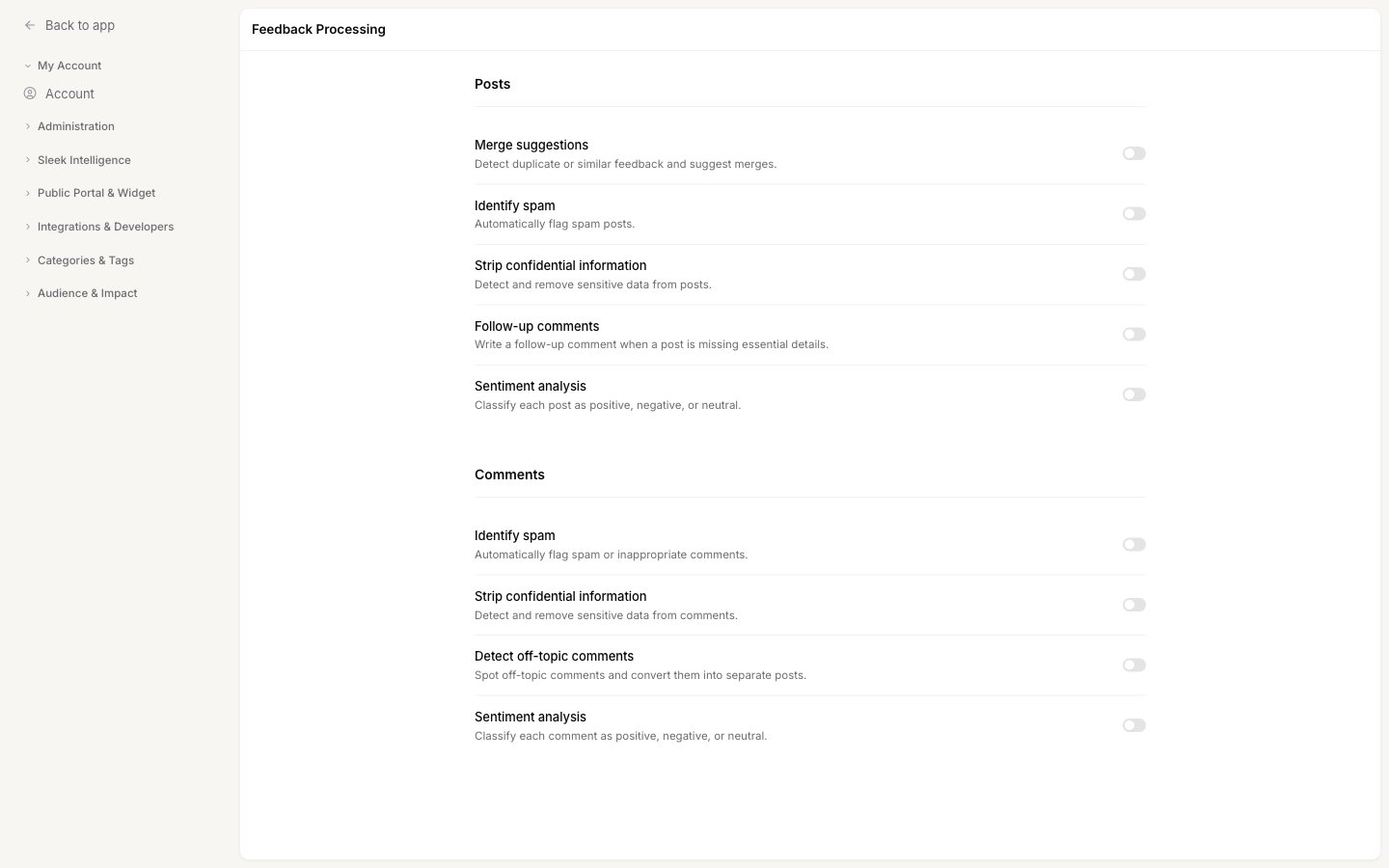 Switch on the automations you want in the **Posts** and **Comments** lists. Anything left off does not run, and turning one off stops it going forward.
## What runs on posts
| Automation | What it does |
| ---------------------------------- | ---------------------------------------------------------------------------------------------------------------------------------------------- |
| **Merge suggestions** | Detects duplicate or similar feedback and suggests [merging it](/help/feedback/merge-feedback), so the same request does not get logged twice. |
| **Identify spam** | Automatically flags spam posts. |
| **Strip confidential information** | Detects and removes sensitive data from a post before it goes public. |
| **Follow-up comments** | Writes a follow-up comment asking the user for detail when a post is missing essential information. |
| **Sentiment analysis** | Classifies each post as positive, negative or neutral. |
## What runs on comments
| Automation | What it does |
| ---------------------------------- | --------------------------------------------------------------------------------------- |
| **Identify spam** | Automatically flags spam or inappropriate comments. |
| **Strip confidential information** | Detects and removes sensitive data from a comment. |
| **Detect off-topic comments** | Spots comments that are really their own request and converts them into separate posts. |
| **Sentiment analysis** | Classifies each comment as positive, negative or neutral. |
## Keeping a human in the loop
Some of these automations only add information (like sentiment labels), while others change your board (merging duplicates, writing a follow-up comment, editing a post). For anything that changes the board, you can require a person to approve it first.
In [**Settings → Sleek Intelligence → General**](https://app.sleekplan.com/settings/intelligence), turn on **Require review for AI actions** and choose which actions need sign-off, for example AI-created posts, AI merges, AI comments or AI edits. When a gate is on, the AI's proposal waits in the [Review](/help/sleek-intelligence/review) queue instead of happening straight away. Sentiment and spam labelling do not change content, so they are not gated.
## What it costs
Each automation draws [Intelligence credits](/help/sleek-intelligence/credits) when it runs, and a single new post can trigger several at once. Sentiment and the lighter checks cost less; duplicate detection is the most expensive. A post that has already been processed is not charged again. If your workspace runs out of credits, automations are quietly skipped until your balance is topped up or your monthly quota resets.
## Related
Approve or reject the changes these automations propose.
Bring feedback in from review sites, apps, email and an API.
Statuses, categories and tags that processing works alongside.
What each automation costs and how to top up.
Switch on the automations you want in the **Posts** and **Comments** lists. Anything left off does not run, and turning one off stops it going forward.
## What runs on posts
| Automation | What it does |
| ---------------------------------- | ---------------------------------------------------------------------------------------------------------------------------------------------- |
| **Merge suggestions** | Detects duplicate or similar feedback and suggests [merging it](/help/feedback/merge-feedback), so the same request does not get logged twice. |
| **Identify spam** | Automatically flags spam posts. |
| **Strip confidential information** | Detects and removes sensitive data from a post before it goes public. |
| **Follow-up comments** | Writes a follow-up comment asking the user for detail when a post is missing essential information. |
| **Sentiment analysis** | Classifies each post as positive, negative or neutral. |
## What runs on comments
| Automation | What it does |
| ---------------------------------- | --------------------------------------------------------------------------------------- |
| **Identify spam** | Automatically flags spam or inappropriate comments. |
| **Strip confidential information** | Detects and removes sensitive data from a comment. |
| **Detect off-topic comments** | Spots comments that are really their own request and converts them into separate posts. |
| **Sentiment analysis** | Classifies each comment as positive, negative or neutral. |
## Keeping a human in the loop
Some of these automations only add information (like sentiment labels), while others change your board (merging duplicates, writing a follow-up comment, editing a post). For anything that changes the board, you can require a person to approve it first.
In [**Settings → Sleek Intelligence → General**](https://app.sleekplan.com/settings/intelligence), turn on **Require review for AI actions** and choose which actions need sign-off, for example AI-created posts, AI merges, AI comments or AI edits. When a gate is on, the AI's proposal waits in the [Review](/help/sleek-intelligence/review) queue instead of happening straight away. Sentiment and spam labelling do not change content, so they are not gated.
## What it costs
Each automation draws [Intelligence credits](/help/sleek-intelligence/credits) when it runs, and a single new post can trigger several at once. Sentiment and the lighter checks cost less; duplicate detection is the most expensive. A post that has already been processed is not charged again. If your workspace runs out of credits, automations are quietly skipped until your balance is topped up or your monthly quota resets.
## Related
Approve or reject the changes these automations propose.
Bring feedback in from review sites, apps, email and an API.
Statuses, categories and tags that processing works alongside.
What each automation costs and how to top up.