> ## Documentation Index
> Fetch the complete documentation index at: https://sleekplan.com/llms.txt
> Use this file to discover all available pages before exploring further.
# The widget notification badge
> The notification badge is the small red counter on your widget button that tells users something is new. Learn what it counts, which plan it needs, how to put it on your own button, and why it sometimes stays hidden.
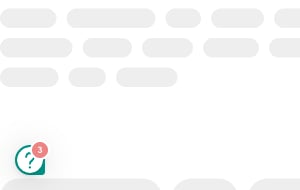
The **notification badge** is the small red counter that sits on the corner of your widget launcher button. It tells a visitor that something is waiting for them: a changelog entry they have not read yet, or a reply to their own feedback. Without it, people only discover new updates if they happen to open the widget.
You can also move the badge onto your own button, so the counter appears on a "What's new" link in your navigation instead of on the floating launcher.
The notification badge is available on the **Starter** plan and above, and during your trial. On the free **Indie** plan the count is always zero, so the badge never appears, even with the **Notifications** setting switched on and unread changelog entries published. See [Plans and billing](/help/account-security/billing) to upgrade.
## What the badge counts
The number on the badge is the sum of two separate things:
| Source | Who sees it | Requires sign-in |
| -------------------------------------------------------------------------------------------------------------- | ------------------------------------------ | ---------------- |
| **Changelog updates.** Entries published in the last 14 days that this visitor has not opened yet. | Every visitor, including anonymous ones | No |
| **Personal notifications.** Activity on this user's own posts: replies, @-mentions, status changes, and likes. | The signed-in user the activity belongs to | Yes |
Changelog updates are tracked per browser, so an anonymous visitor still gets a count. You do **not** need [Single Sign-On](https://sleekplan.com/docs/authentication/single-sign-on) for the changelog part of the badge. Personal notifications are tied to a user account, so they only appear once the visitor signs in or is [identified through the SDK](https://sleekplan.com/docs/sdk/user-setup).
## Set the badge up
Open [**Settings → Billing**](https://app.sleekplan.com/settings/billing) and confirm you are on **Starter** or above. On the free **Indie** plan the widget reports a count of zero and no badge is drawn, so everything below has no visible effect.
The badge only counts changelog entries published in the **last 14 days** that are live. Drafts, scheduled entries, and archived entries are never counted. If your newest entry is older than two weeks, publish a fresh one and the counter comes back. See [Create changelog entries](/help/changelog/create-entries).
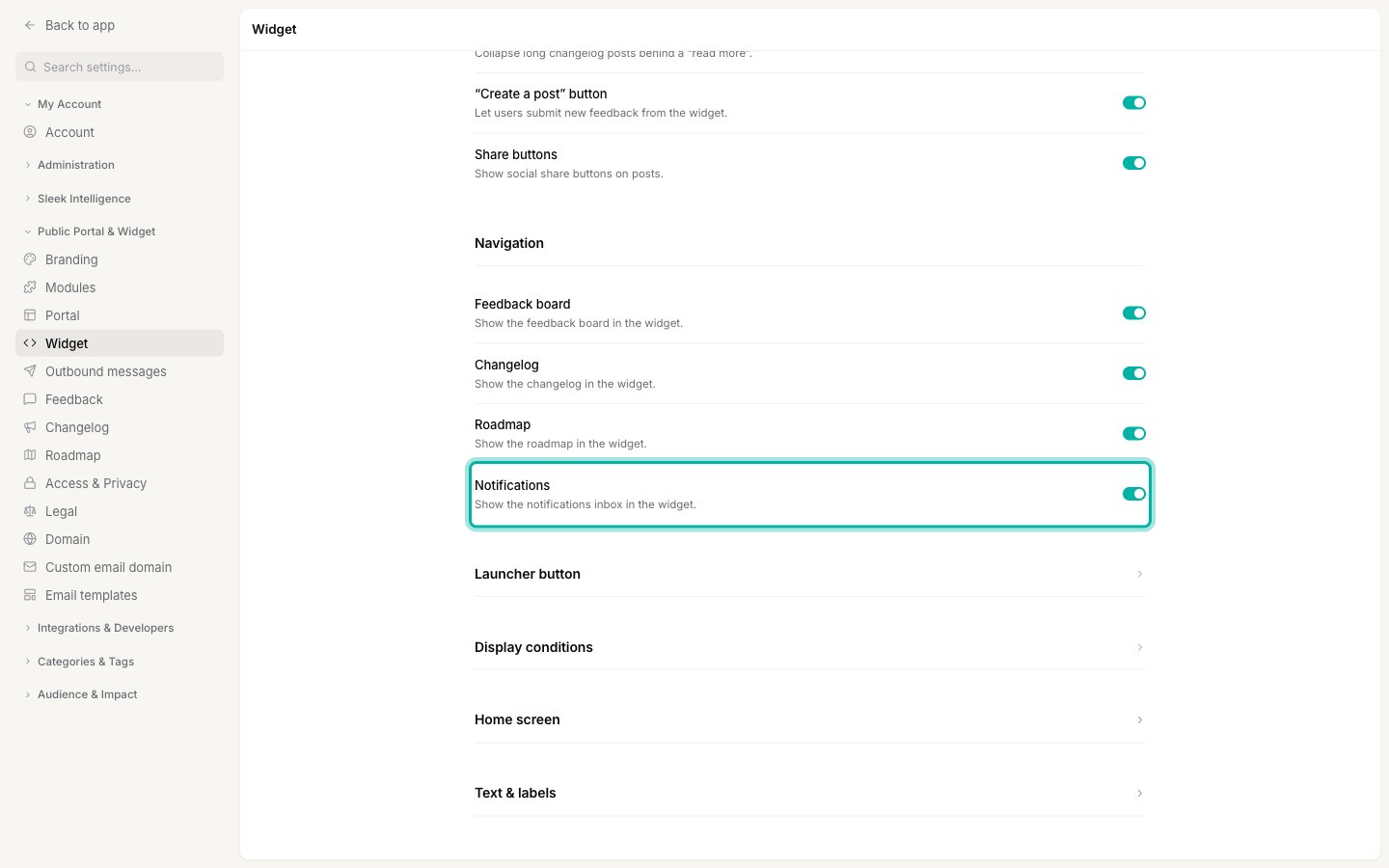
Navigate to [**Settings → Public Portal & Widget → Widget**](https://app.sleekplan.com/settings/widget) and turn on **Notifications** in the **Navigation** section. This adds the bell icon that signed-in users open to read their personal notifications. Click **Save changes**.
Open your site in a private or incognito window so you get a fresh visitor session. The badge appears on the widget launcher with the number of unread updates.
The **Notifications** toggle controls the notifications inbox (the bell) for signed-in users. The changelog part of the badge does not depend on it, so an anonymous visitor can see a count even when the inbox is off.
## Put the badge on your own button
If you use your own trigger instead of the floating launcher, add a badge attribute to that element. Sleekplan writes the current count into it as a `data-count` value and draws the counter for you:
```html theme={"system"}
```
| Attribute | Shows the count for |
| ---------------------- | --------------------------------------------------------- |
| `data-badge` | Everything: changelog updates plus personal notifications |
| `data-badge-feedback` | Personal notifications only |
| `data-badge-changelog` | Changelog updates only |
Two things to watch:
* **Put the attribute on a visible element.** The counter is positioned in the top-right corner of the element it is attached to. On an empty `` it has nothing to sit on, so attach it to your actual button or link.
* **Re-bind after your app renders.** If your site is a single-page app that inserts the button after the page loads, call `$sleek.rebind()` so Sleekplan finds it.
The full technical reference lives in the [JavaScript SDK overview](https://sleekplan.com/docs/sdk/overview).
## When the badge clears or stays hidden
The badge is designed to disappear as soon as it has done its job, which is often why it looks like it is missing:
* **Opening the changelog clears it.** As soon as a visitor views the changelog, their changelog count resets to zero for every entry published so far.
* **A changelog home screen clears it on every open.** If your widget's [home screen](/help/portal-widget/widget-home-screen) is set to the changelog, simply opening the widget counts as reading it. Point the home screen elsewhere if you want the badge to survive the first click.
* **Opening the notifications inbox clears it.** Reading the inbox resets both counts.
* **Only the last 14 days count.** Older entries stay in your changelog but stop contributing to the badge.
* **Targeted entries reach fewer people.** A changelog entry limited to a [user segment](/help/account-security/segments) is only counted for signed-in users in that segment. Anonymous visitors never count a targeted entry.
* **Private workspaces need a sign-in.** If your board is set to private in [Access and privacy](/help/portal-widget/access-privacy), the badge stays hidden until the visitor signs in.
## Hide the badge on specific pages
On a signup, login, or checkout page you may want the widget available but silent. Define a settings object **before** the Sleekplan embed script on that page:
```html theme={"system"}
```
The rest of the widget keeps working normally, only the counter is suppressed. To suppress the **New Updates** pop-up in the same way, see [In-app announcements](/help/changelog/in-app-announcements).
## Troubleshooting
| What you see | Likely cause |
| ---------------------------------------------- | --------------------------------------------------------------------------------------------------------------------- |
| No badge anywhere, on any browser | Your workspace is on the free **Indie** plan. The badge needs **Starter** or above. |
| No badge, but you are on a paid plan | Your newest changelog entry is older than 14 days, or it is still a draft or scheduled. |
| The badge shows once, then never again | The visitor already opened the changelog. Test in a fresh incognito window. |
| The badge vanishes the moment the widget opens | Your widget's home screen is the changelog, which counts as reading it. |
| No badge for signed-out visitors only | The entry is targeted at a segment, or your board is private. |
| Your own button has no badge | The badge attribute is on an element with no size, or the button was added after page load without `$sleek.rebind()`. |
## Related
Push a new changelog entry as a New Updates pop-up instead of a quiet counter.
The home screen decides whether opening the widget clears the changelog count.
Publish the updates the badge counts.
Add the widget to your site and swap in your own trigger button.