> ## Documentation Index
> Fetch the complete documentation index at: https://sleekplan.com/llms.txt
> Use this file to discover all available pages before exploring further.
# Add-ons
> Extend your plan with extra team seats, emails, popups, announcements, SAML SSO, and Sleek Intelligence credits, without moving to a bigger plan.
Add-ons let you raise a single limit or switch on one extra capability without upgrading your whole plan. You book them from the same [Billing](https://app.sleekplan.com/settings/billing) screen and they are added to your existing subscription.
Booking add-ons requires the **Owner** or **Admin** role and an **active paid subscription**. Most add-ons require the **Business** plan; Sleek Intelligence credits can also be topped up on **Starter**. Add-ons are not available on the free plan or during a trial without a paid subscription. On **Enterprise**, your account manager handles add-ons.
## Available add-ons
| Add-on | What it does | Available on |
| ------------------------ | ----------------------------------------------------------------------------------------------------------------------------------------------------------------- | ----------------- |
| **Team seat** | Invite additional team members to collaborate in the dashboard, beyond your plan's included seats. | Business |
| **Email notifications** | Raise your monthly limit for targeted emails. Changelog updates, mentions, and status-update emails all count toward this limit. | Business |
| **Popup deliveries** | Raise your monthly limit for targeted in-app pop-up messages. | Business |
| **Announcements** | Raise your monthly limit for in-app changelog announcements. | Business |
| **SAML single sign-on** | Enable SAML SSO with unlimited usage for your team. | Business |
| **Intelligence credits** | Top up your [Sleek Intelligence credits](/help/sleek-intelligence/credits) to power AI features like summaries, sentiment analysis, deduplication, and Sleekmate. | Starter, Business |
Each add-on is booked in fixed increments (for example, one seat at a time, emails in blocks of 5,000, credits in blocks of 10,000). The exact increments and live prices for your plan and currency are shown in the **Manage add-ons** dialog.
## How to book an add-on
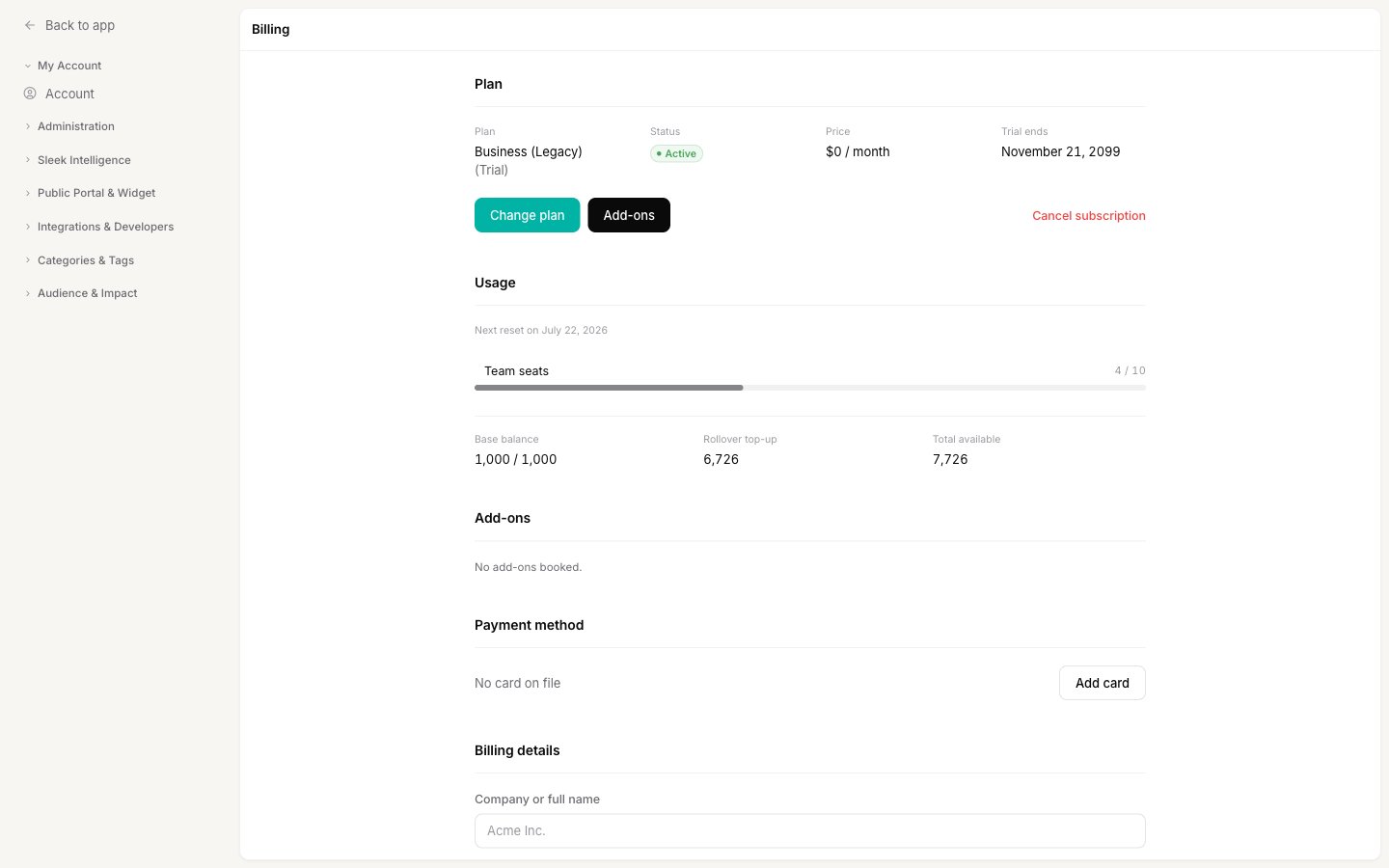
Go to [**Settings → My Account → Billing**](https://app.sleekplan.com/settings/billing) and, in the **Plan** section, click **Add-ons**.
 For each add-on, pick a quantity from its dropdown. Only add-ons available on your current plan are shown. Set an add-on back to `0` to remove it.
As you change quantities, Sleekplan shows a live preview of the invoice, including the line items and the total. Prices are shown before tax.
Click **Book add-ons**. If your bank requires extra verification (3-D Secure), you will be prompted to confirm the payment. Your raised limits take effect right away.
Your booked add-ons and their quantities appear in the **Add-ons** section of the Billing screen.
## Billing and timing
* **Adding or increasing an add-on** is charged immediately. For the email, popup, and announcement add-ons, the mid-cycle charge is prorated to the time left in your billing period.
* **Reducing or removing an add-on** is scheduled for the **end of your current billing period**, so you keep the extra capacity you have already paid for until then.
* Add-on charges appear as separate line items on your [invoices](/help/account-security/billing#payment-method-billing-details-and-invoices).
## Related
Upgrade, downgrade, cancel, and manage payment details.
How credits work, monthly quotas, and top-ups.
Add teammates once you have booked extra seats.
Configure SAML SSO after enabling the add-on.
For each add-on, pick a quantity from its dropdown. Only add-ons available on your current plan are shown. Set an add-on back to `0` to remove it.
As you change quantities, Sleekplan shows a live preview of the invoice, including the line items and the total. Prices are shown before tax.
Click **Book add-ons**. If your bank requires extra verification (3-D Secure), you will be prompted to confirm the payment. Your raised limits take effect right away.
Your booked add-ons and their quantities appear in the **Add-ons** section of the Billing screen.
## Billing and timing
* **Adding or increasing an add-on** is charged immediately. For the email, popup, and announcement add-ons, the mid-cycle charge is prorated to the time left in your billing period.
* **Reducing or removing an add-on** is scheduled for the **end of your current billing period**, so you keep the extra capacity you have already paid for until then.
* Add-on charges appear as separate line items on your [invoices](/help/account-security/billing#payment-method-billing-details-and-invoices).
## Related
Upgrade, downgrade, cancel, and manage payment details.
How credits work, monthly quotas, and top-ups.
Add teammates once you have booked extra seats.
Configure SAML SSO after enabling the add-on.